Hold one-per-customer and single-use discount codes to one account, device and network.
A discount code says “one per customer.” A leaked single-use code says “one redemption, ever.” Both promises break at the same moment: the apply-code step in the cart. One shopper claims the same offer through duplicate accounts, and a single-use code posted to a coupon forum gets burned a hundred times before you notice. This tutorial sits on the redeem action and ties each apply-code to the shopper’s account and the device behind it, so you can hold the discount to its limit. It is the code-centric companion to promo abuse, which gates the broader reward (the signup bonus, the trial reset) at registration and claim time.
Coupon abuse, also called coupon fraud or discount code abuse, is the repeated redemption of a discount that was meant to be claimed once: one shopper applying a one-per-customer code through several accounts or browsers, many people redeeming a single-use code that leaked or was shared, or one buyer stacking codes across repeated attempts. The orders look like distinct customers, but the redemptions trace back to one machine or one network, or to a code that has already been spent.
ShieldLabs ties each apply-code to the shopper’s account (when signed in), to the device and network behind it, and scores the moment itself. The Device ID holds through cleared cookies, incognito mode and IP changes, so ten “different” buyers applying one code from one machine resolve to one Device ID. Each apply-code is one identification with a Risk Score from 0 to 100 and every risk signal named, so a VPN, proxy, Tor or privacy relay shows up by name, and the Local IP (local_ip), the address the browser itself reports, can expose the network behind a rotated public IP. ShieldLabs also detects Multi-accounting on signed-in shoppers: several accounts run by one person, linked through the devices and network they share.ShieldLabs stops coupon abuse by tying every redemption to a durable account, device and network. Your redemption log adds which code was spent, so the per-customer count survives cleared cookies, new accounts and rotated IPs.
The rule, wired up in “Build it” below: at the apply-code step, read the shopper’s account (when signed in), the apply-code’s risk_score and named signals, then count how many times this code was redeemed from that Device ID and Local IP in your own redemption log, and how many distinct accounts spent any one-per-customer code there. Honor the discount when the device is fresh and the apply-code is clean; require verification or refuse it when the per-customer cap is crossed, when a single-use code is applied a second time, or when strong risk signals push the count past your tolerance. You choose the action for each case. A forum-leaked code collapses to one device-and-network footprint and holds for review, while a genuine first-time shopper checks out clean.
Start Free with 5,000 identifications, one time, no credit card, or log in. In the analytics dashboard, add the storefront domain you want to protect under Integration > Domains, then open Integration > API keys and copy its keys with the copy button next to each. The Public Key loads the snippet in the browser. Keep the server credentials on your backend: the Private API Key reads the History API, and each webhook endpoint has its own whsec_… signing secret. See API keys and Integration.
2
Identify the apply-code
Add the snippet to the cart or checkout page where the coupon is entered. Pass a hashed User HID with checkAuthenticatedUser on every signed-in page. Users, account-level risk and all four High-Risk Events are built on it. Within one visit (while a page of your site stays open in the browser, across route changes in a single-page app and across open tabs), checkAnonymous and checkAuthenticatedUser run at most one identification every five minutes for the same user. A call inside that window posts nothing, counts nothing, and its onInitialized handler receives { status: "not_initialized" }. On a multi-page site, a full page load in the only open tab can start a new visit with its own identification. So for the apply-code action itself, call forceCheckAuthenticatedUser with the shopper’s hashed id, or forceCheckAnonymous for guest checkout, when the shopper starts filling the coupon form (its first focus): both run an identification every time, keep the current Session ID and restart the five-minute window, so the apply-code always posts its own request ID. onInitialized fires when the check starts, before the snippet has sent the identification, so do not navigate away inside it: store the request ID and let the form submit normally. Pass a hash, never a raw email.
cart.html
<script type="module"> const mod = await import( 'https://cdn.shieldlabs.ai/snippet.js?publicKey=YOUR_PUBLIC_KEY' ); // Rendered by your server: the shopper's hashed account id, or null for guest checkout. const hashedAccountId = '8a9f-hashed-account-id'; const form = document.getElementById('coupon-form'); // onInitialized fires when the check starts, before the snippet sends it, so it // only stores the request ID and the form submits normally. With no request ID, // your backend holds the discount. const onInitialized = (result) => { if (result.status === 'initialized') { document.getElementById('shieldlabs-request-id').value = result.requestID; } }; // A fresh identification for this apply-code, started when the form comes into use. const identify = () => { if (hashedAccountId) { mod.forceCheckAuthenticatedUser(hashedAccountId, { onInitialized }); } else { mod.forceCheckAnonymous({ onInitialized }); } }; if (form.contains(document.activeElement)) identify(); // already focused (autofocus) else form.addEventListener('focusin', identify, { once: true });</script><form id="coupon-form" method="POST" action="/api/apply-coupon"> <input type="hidden" id="shieldlabs-request-id" name="shieldlabsRequestId" /> <input type="text" name="couponCode" placeholder="Coupon code" /> <button type="submit">Apply code</button></form>
3
Read the Risk Score and gate on risk signals
The Risk Score arrives on the webhook. Verify the X-Shield-Signature HMAC, then cache it by request_id. Your apply-coupon endpoint reads it back with the shared waitForScore helper from the Use Case Tutorials, which falls back to a History API read by request_id and returns null when there is no identification. Validate the code with your own commerce checks first, then hold an apply-code with strong risk signals for verification before moving on to the account and the redemption count.
api/apply-coupon.js
import { app, waitForScore, band, accountView, shieldlabsHistory, NIL_DEVICE } from '../shieldlabs-helpers.js';app.post('/api/apply-coupon', async (req, res) => { const { couponCode, shieldlabsRequestId } = req.body; const userHid = req.user?.hashedId ?? null; // the hashed id you pass to the snippet; null for guests // 1. Your own commerce checks first: code exists, in its valid window, // not already marked spent (for single-use codes), within cart rules. const coupon = await lookupCoupon(couponCode); if (!coupon || !coupon.active) { return res.status(409).json({ error: 'Coupon not valid' }); } if (coupon.singleUse && coupon.spent) { // A single-use code applied again is reuse on its face: refuse outright. return res.status(409).json({ error: 'Coupon already redeemed' }); } // 2. The guard: read this apply-code's identification. No identification is // unverified, never clean. const risk = await waitForScore(shieldlabsRequestId, 2000); if (!risk) { return res.status(200).json({ requireVerification: true, reason: 'no_identification' }); } if (userHid && risk.user_hid !== userHid) { return res.status(200).json({ requireVerification: true, reason: 'identification_mismatch' }); } if (risk.risk_score > 100) { // The 999 rate-limit marker. return res.status(200).json({ requireVerification: true, reason: 'rate_limit_marker' }); } const flags = risk.detection_flags ?? {}; // 3. Use detection_flags to tell which signal fired: a 30 from one signal is // not a 30 from another. Dangerous, or automated: hold before honoring. const automated = flags.browser_automation || flags.javascript_disabled; if (band(risk.risk_score) === 'Dangerous' || automated) { return res.status(200).json({ requireVerification: true, reason: 'risk_signals' }); } // VPN, proxy or datacenter alone is common for real shoppers: weigh it // against the account and the redemption count in the next steps. const masked = flags.vpn || flags.proxy || flags.privacy_relay || flags.browser_vpn_proxy || flags.datacenter_ip; return countAndDecide(req, res, risk, coupon, userHid, masked);});
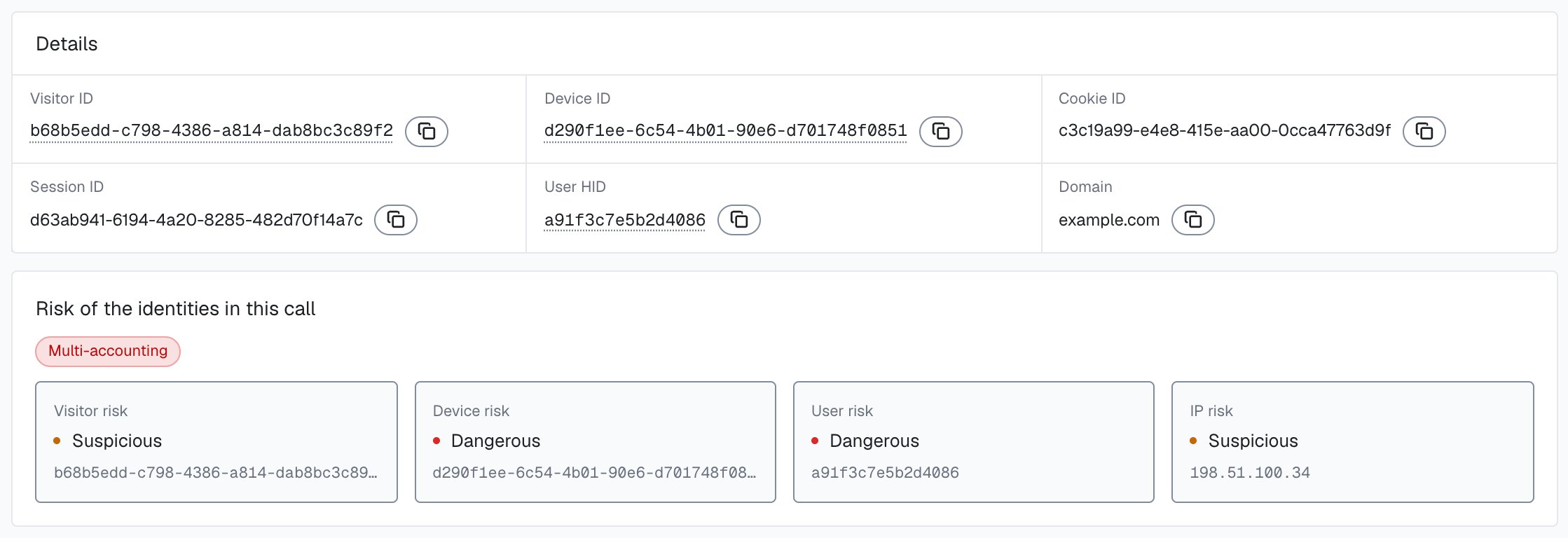
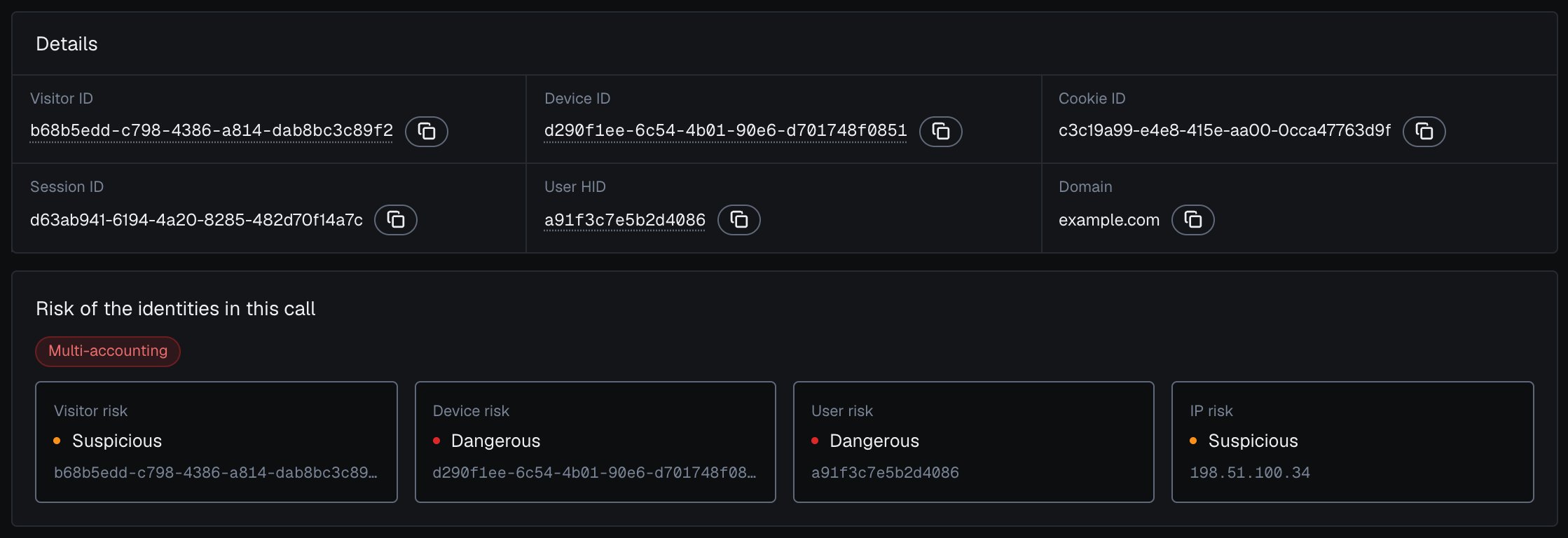
Read a high Risk Score together with its named risk signals and the user’s history. A real customer on a corporate VPN can reach the Suspicious band; the signals show why, and you choose the action for each case. Branch on the band, on the signals[].name slugs or on the named detection_flags, never on a label string.To see one apply-code the way your handler does, open its identification from Analytics: the Identification card shows its Risk Score, each risk signal with its weight, and the risk of the account, device, visitor and IP behind it.
One identification and the risk of the user, device, visitor and IP it belongs to, in the analytics dashboard.
4
Read the shopper's account
For a signed-in shopper, the apply-code is one identification and the account behind it has a history. The shared accountView helper reads the account’s earlier identifications from the History API by user_hid: the worst band across them shows how risky the account has been, and its distinct Device IDs and public IPs are the devices and networks it is linked to. Guest checkouts have no account to read and rely on the device and Local IP counts in the next step.In the analytics dashboard, the account’s card shows the same view: its band for the selected period, its High-Risk Events, each pill coloured by its confidence, and each linked device, visitor and IP with the band of the identifications it shares with the account. User, device, visitor and IP cards describes each part.
Read the shopper's account
// Returns why the discount should wait, or null when the account looks clean.async function accountHold(userHid, risk) { // Accounts with a Multi-accounting event, recorded in your own store when it // arrives through the API or webhooks or when you review it in the analytics // dashboard: null, 'medium' or 'high' (its confidence). const marked = await markedAccounts.get(userHid); if (marked) return marked === 'high' ? 'marked_high' : 'marked_account'; // The account's earlier identifications (newest 100), without this one. const account = await accountView(userHid, { excludeRequestId: risk.request_id }); if (account.worstBand === 'Dangerous') return 'dangerous_history'; return null;}
5
Count redemptions per device and local network
The Risk Score says whether one apply-code looks masked. How many times this code, or any one-per-customer code, has already been spent from the device or the local network is a separate count, and that count catches both a duplicate-account shopper and a leaked code making the rounds. The durable Device ID is the anchor (it holds through a cookie clear, incognito and an IP change), and the Local IP (local_ip.ip) catches a household or office sitting behind one router even when each apply-code shows a fresh cookie and a rotated public IP. Read the device’s history live and count:
async function redemptionsFromDevice(deviceId, couponCode) { const rows = await shieldlabsHistory('device_id', deviceId, 100); // Your own store records which coupon each request_id redeemed. Join the // device's identifications to your redemption log for this code. return countYourRedemptions(rows.map((r) => r.request_id), couponCode);}async function countAndDecide(req, res, risk, coupon, userHid, masked) { // 1. Signed-in shoppers: the account behind the apply-code (previous step). if (userHid) { // A failed History read is unverified: the discount waits for verification. const hold = await accountHold(userHid, risk).catch(() => 'history_unavailable'); if (hold === 'marked_high') { return res.status(409).json({ error: 'discount_refused', reason: 'held_for_review' }); } if (hold) { return res.status(200).json({ requireVerification: true, reason: hold }); } } // 2. An all-zero Device ID means no usable device signals reached ShieldLabs: // there is no device to count on, so hold the discount for verification. if (risk.device_id === NIL_DEVICE) { return res.status(200).json({ requireVerification: true, reason: 'no_device' }); } // 3. Count this code's redemptions off this one device and Local IP. // local_ip.ip is empty when not captured; local_ip is null on the History fallback. const localIp = risk.local_ip?.ip; const fromDevice = await redemptionsFromDevice(risk.device_id, coupon.code).catch(() => null); if (fromDevice === null) { return res.status(200).json({ requireVerification: true, reason: 'history_unavailable' }); } // From your own redemption log: the History API has no Local IP search. const fromLocal = localIp ? await redemptionsFromLocalIp(localIp, coupon.code) : 0; // YOUR_PER_CUSTOMER_LIMIT is your policy (usually 1 for a one-per-customer // code). A single-use code already spent was refused upstream. A masked // apply-code on a device that already redeemed this code also waits. if (fromDevice >= YOUR_PER_CUSTOMER_LIMIT || fromLocal >= YOUR_PER_NETWORK_LIMIT || (masked && fromDevice > 0)) { return res.status(200).json({ requireVerification: true, reason: 'code_already_redeemed_here' }); } // Clear: honor the discount and record the redemption against this device. return honorDiscount(req, res, { deviceId: risk.device_id, requestId: risk.request_id });}
History API reads never count against your included identifications. For busy checkouts, keep your own counters (redemptions per Device ID and per local_ip.ip from the webhook, incremented when you honor a discount) as the fast path, and reserve live History reads for borderline carts. The History API searches by public IP (ip) and has no Local IP search, so the Local IP count always comes from your own store.
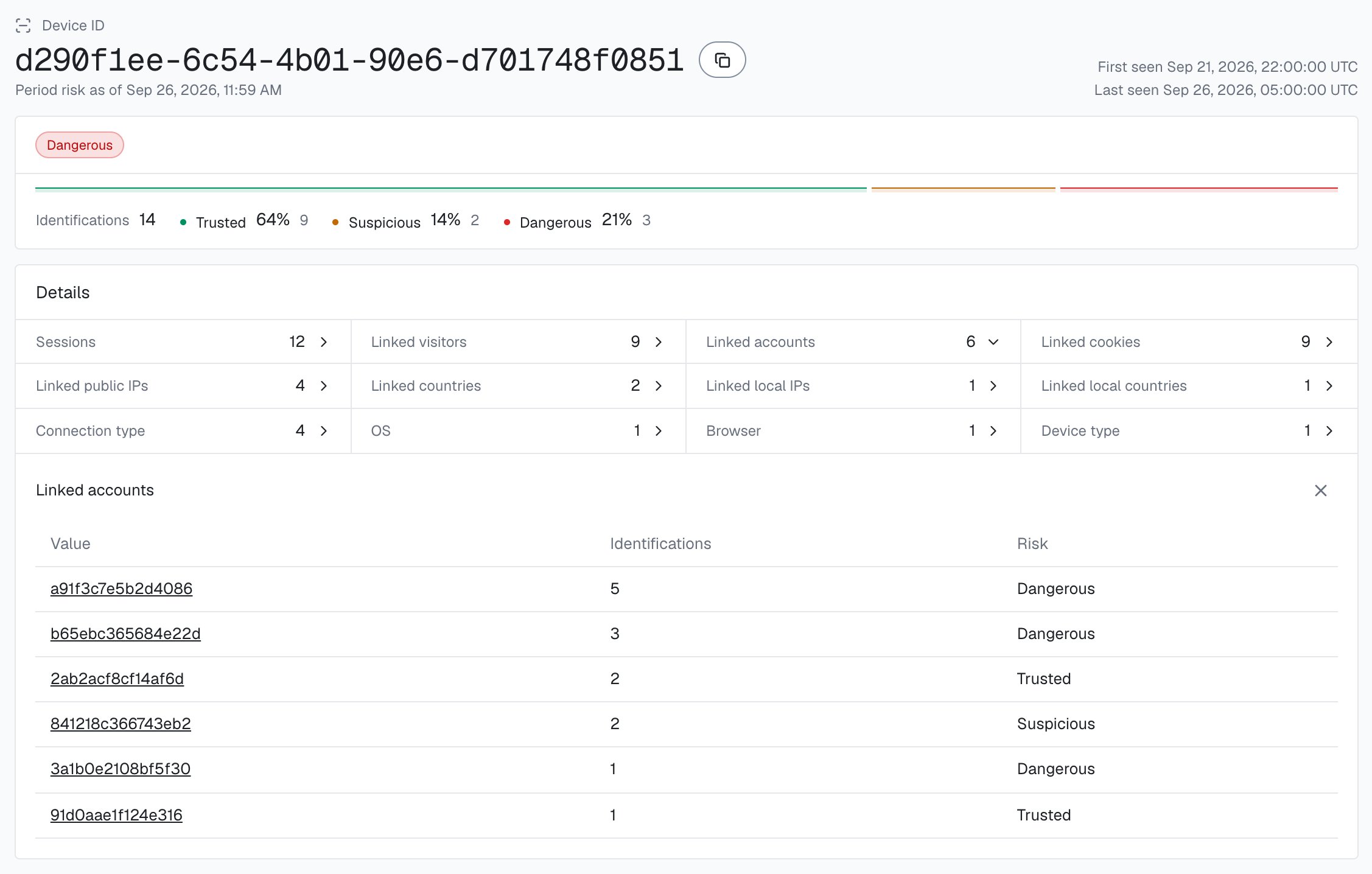
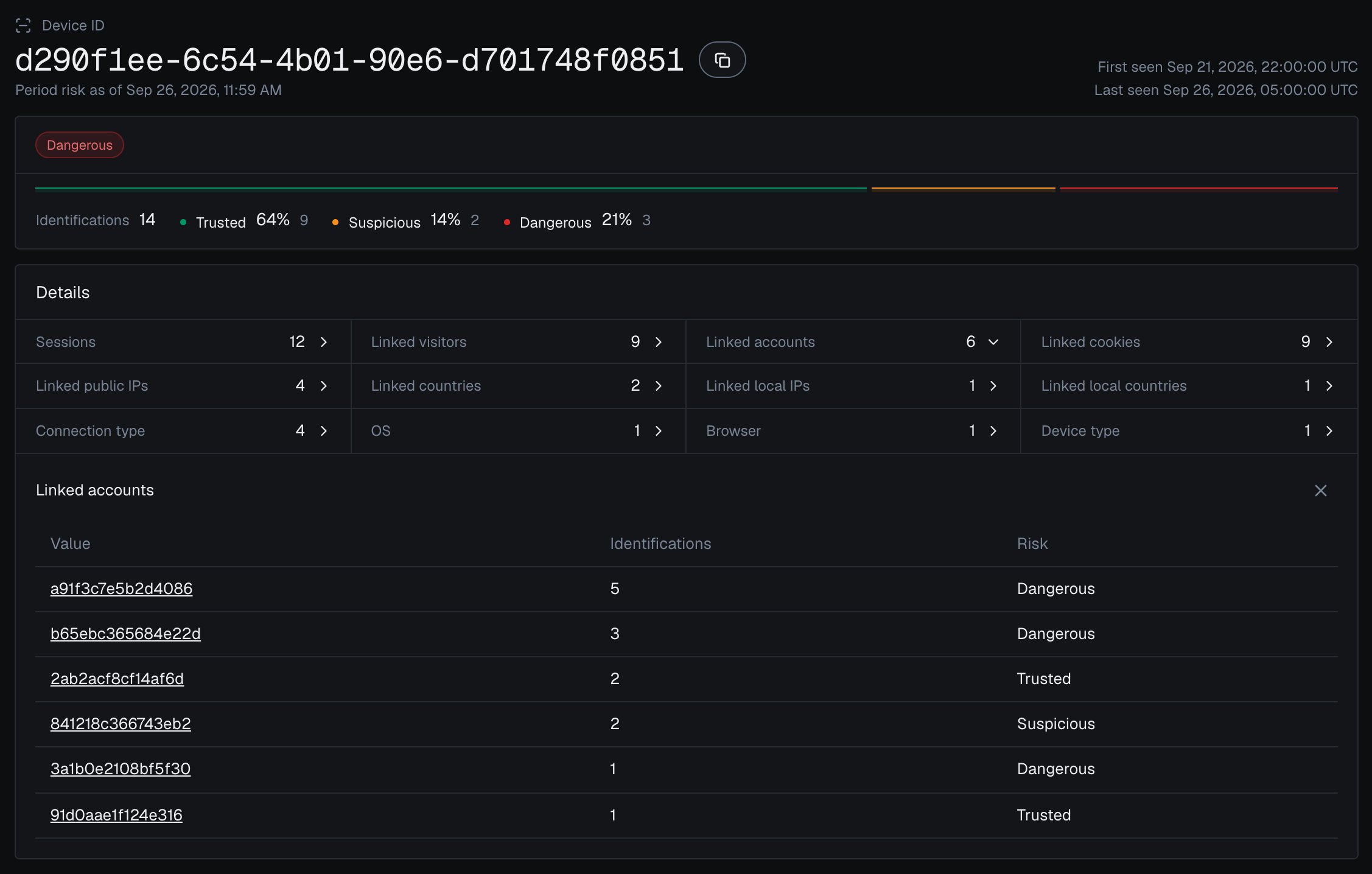
A shopper using two separate browsers shows up as two Device IDs: another browser is another Device ID. The Local IP count closes that gap: the same code applied repeatedly through one local_ip.ip is a strong shape even when each apply-code reports a different device. Weigh both alongside your own per-code redemption caps.The analytics dashboard shows the accounts behind one device: open a Device ID from Analytics, and Linked accounts lists every account seen on it, each with the band of its identifications on that device.
One Device ID in the analytics dashboard, with every account linked to it.
6
Corroborate with Multi-accounting
The live counts decide the cart in the moment. ShieldLabs also detects the Multi-accountingHigh-Risk Event on signed-in shoppers: several accounts run by one person, linked through the devices and network they share, the duplicate-account coupon shape, at Medium or High confidence. It catches the slow, patient abuse the per-cart count misses.The event needs the hashed User HID, so pass it with checkAuthenticatedUser on every signed-in page and with forceCheckAuthenticatedUser on the apply-code; guest checkouts rely on the live device and Local IP counts. High-Risk Events are available in the analytics dashboard, the API and webhooks. When a Multi-accounting event arrives for a shopper through the API or webhooks, or when you review it in the analytics dashboard, record it against the account in your own system, and your apply-coupon endpoint holds the discount for it before it reaches the live count (the accountHold check above reads that record); you choose the action for each case. At the apply-code itself, the Risk Score and risk signals of the identification remain the input.
7
Tune to your offers
A one-per-customer welcome code wants a hard limit of 1; a stackable site-wide sale tolerates more. Your commerce rules own stacking policy (which codes combine in a cart), while ShieldLabs ties a burst of apply-code attempts back to one Device ID, so a shopper stacking codes from one machine still surfaces. Start in logging-only mode, watch how real redemptions spread over devices and networks, then set the per-device and per-network caps that match each campaign.
You do not need a real abuse ring to see this work. Apply a one-per-customer code once in your normal browser and note the device_id on the webhook. Then play the repeat shopper: clear cookies or open an incognito window, sign in as a different account, and apply the same code again. The cookie_id and visitor_id change every time, but the same device_id returns, and your redemption count off that device climbs with each attempt, which is exactly the count your handler holds the discount on. A second browser gets its own Device ID, which the Local IP count covers. Toggle a VPN and the risk signals light up on the apply-code without changing the Device ID, so a masked retry reads as the same machine, more hidden.Then search Analytics in the analytics dashboard for that Device ID and open it: Linked accounts lists every account you used in the test, each with the band of its identifications on that device.
The three bands are defined in Risk Scoring, and the per-band playbook lives in Acting on results. Mapped to the apply-code gate, with the account and your redemption count layered on top:
Signal at apply-code
Suggested action
Trusted Risk Score (0-29), redemption count under your cap
Honor the discount
Suspicious Risk Score (30-59), under your cap
Honor, but log and watch the device
Dangerous Risk Score (60-100), or browser automation
Require verification before honoring
Signed-in account whose worst band is Dangerous
Require verification before honoring
Per-device or per-network redemption count at your cap
Hold the discount: require verification or refuse it
Single-use code applied a second time (any device)
Refuse outright
Account with a Multi-accounting event at Medium confidence
Require verification, regardless of the Risk Score
Account with a Multi-accounting event at High confidence
Refuse the discount and route to review
No identification for this apply-code, or an all-zero Device ID
Require verification before honoring
Risk Score above 100 (the 999 rate-limit marker)
Require verification before honoring
You choose the action for each case. For the broader reward-time gate that joins accounts at signup and claim time, layer this on top of promo abuse; to chase the duplicate accounts themselves rather than the codes they spend, see multi-accounting.
Next: Acting on results
The full per-band decision playbook, including signal-aware decisioning and how to combine the Risk Score with specific risk signals.