

This page describes the new analytics dashboard, which is rolling out to all accounts.
Identifications this billing cycle
The Identifications card shows the dates of the billing cycle, the share used, Used and Remaining, your Included volume, and the date Usage resets on. The meter follows the billing cycle, not the period selected on other screens. Only identifications count. Opening the analytics dashboard, exporting, and reading through the History API use none of your included identifications. On the snippet side,checkAnonymous and checkAuthenticatedUser run at most one identification every five minutes for the same user in the same browser, shared across open tabs. A call inside that window posts nothing, counts nothing, and its onInitialized handler receives { status: "not_initialized" }. Optimizing usage shows where to place calls.
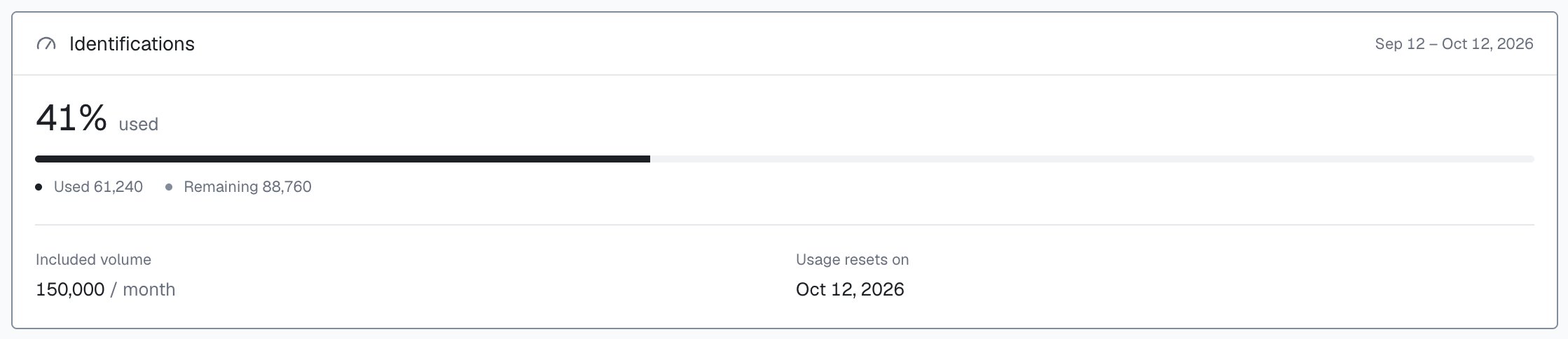
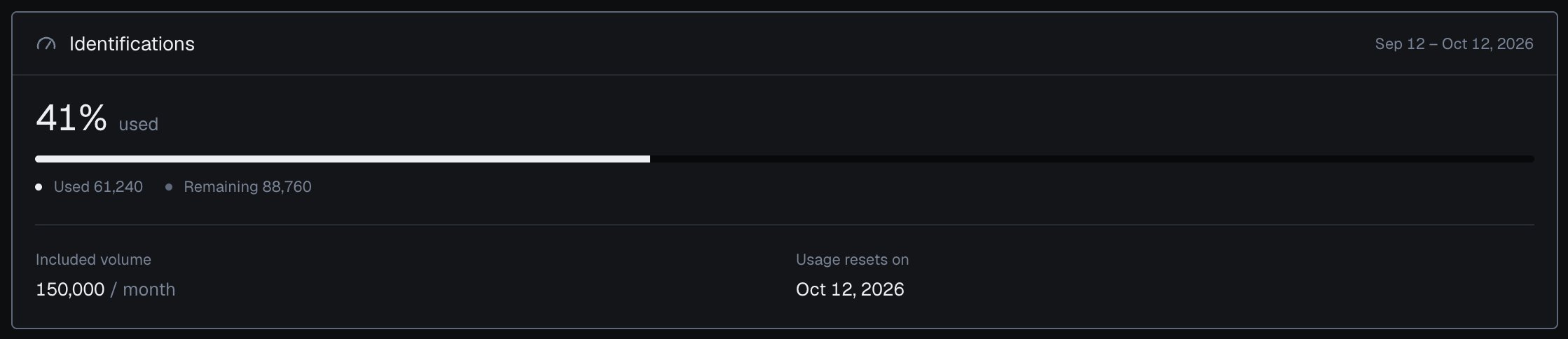
Included identifications for the billing cycle, in the analytics dashboard's Usage screen.
At your included volume
At your included volume, identification pauses and the identification request returns HTTP 402 until the billing cycle resets or you change plan. Usage shows a notice as you approach it and when you reach it, each with Change plan. The Free plan is 5,000 identifications, one time, so after they are used identification resumes when you move to a paid plan. See Billing and Errors.Plans
In Plans, on Monthly billing, Starter is 399 with 150,000 and Scale $999 with 500,000; Yearly, selected by default, saves 20%. Every plan includes the full detection stack. Compare plans opens a side-by-side table, and Promo code applies a code you received.Change plan
Select a plan’s upgrade or downgrade button to open the plan change. It shows your current and new plan, what is due today and the next charge, as a preview from Stripe; the exact amount is confirmed at secure checkout. When the new plan includes fewer identifications than you already used this cycle, the dialog warns you. A downgrade charges nothing today and starts at the next renewal, when usage resets; the warning shows on a downgrade too, and only the identification request returns HTTP 402, at your current plan’s included volume. Continue to checkout completes the change in Stripe.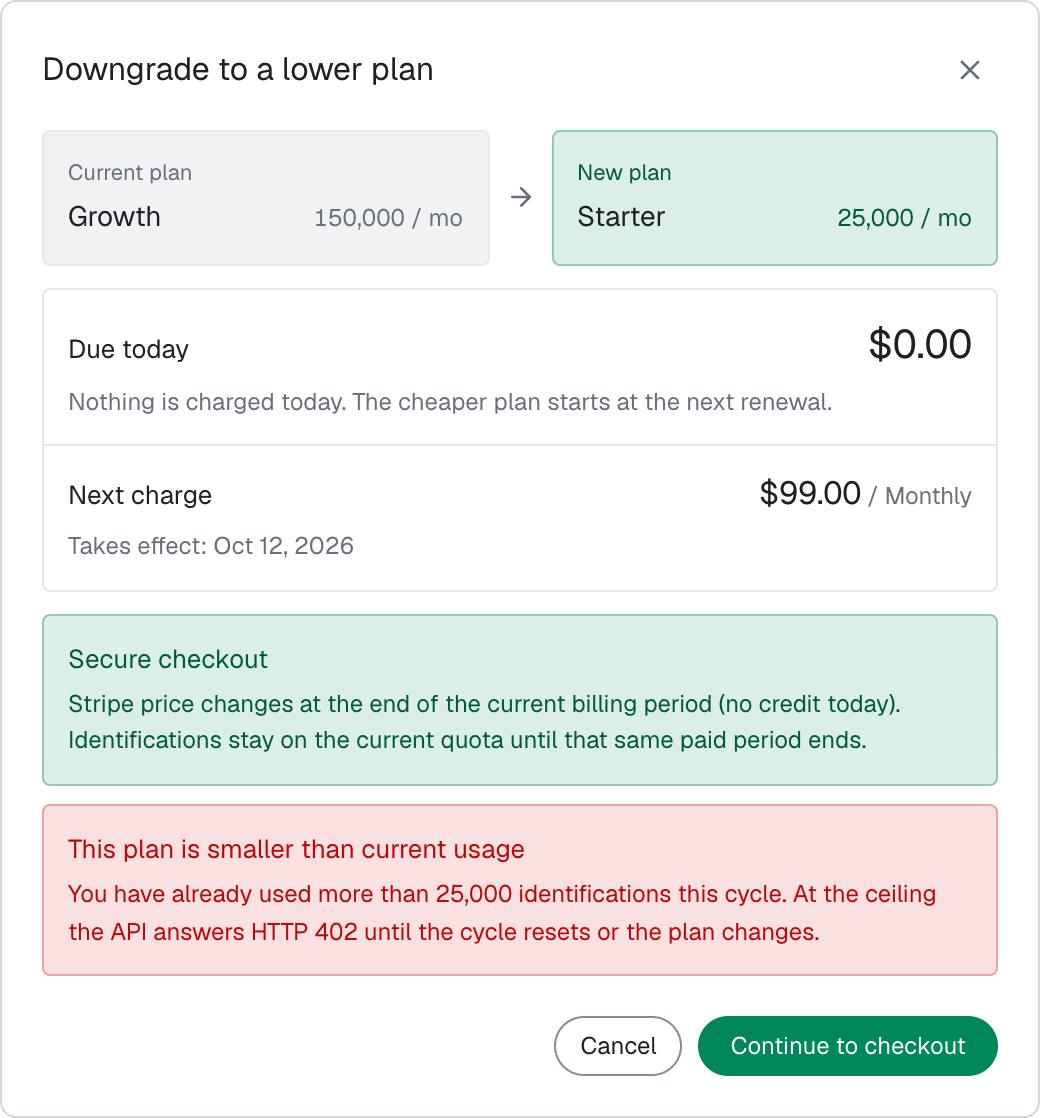
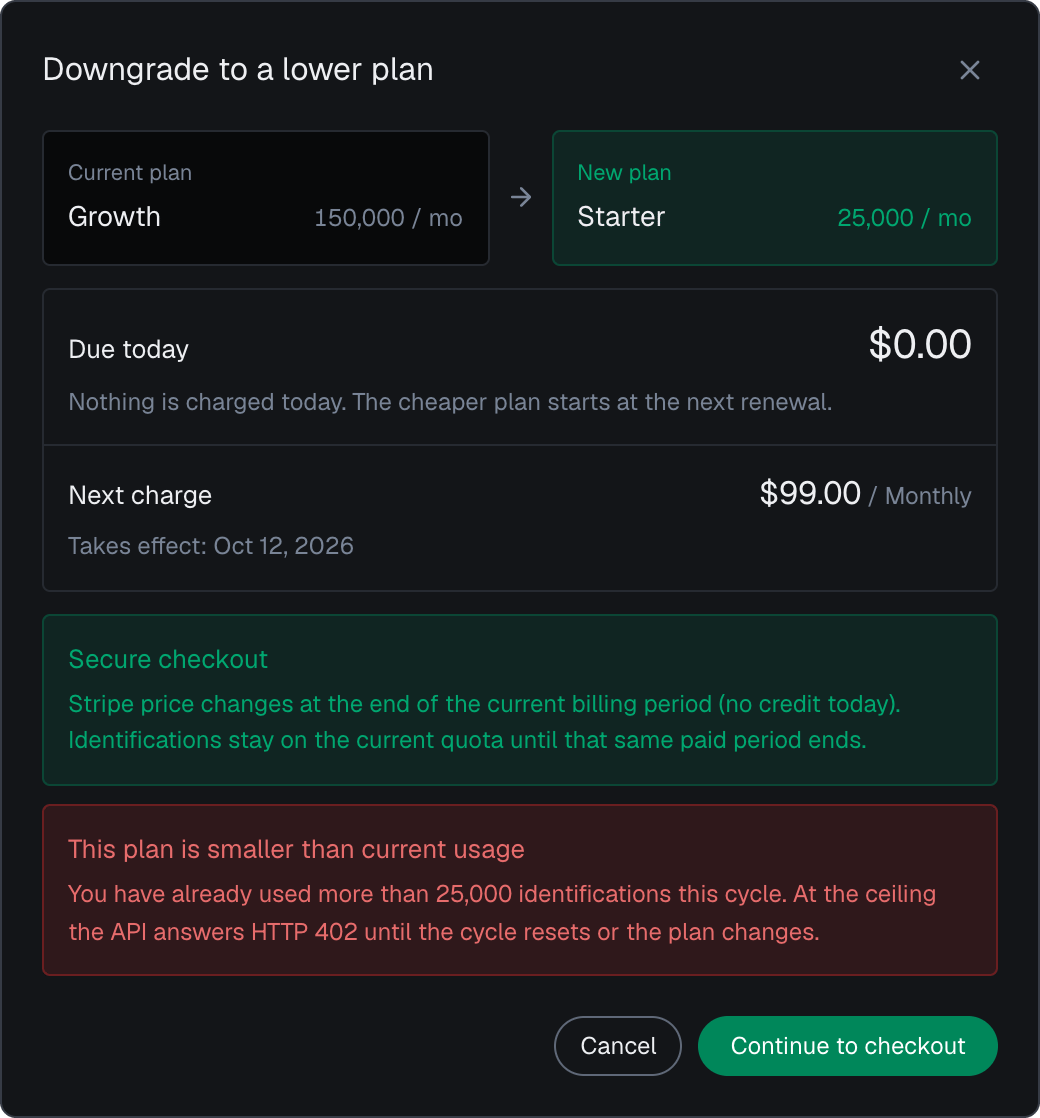
Changing plan in the analytics dashboard, with a Stripe preview of the amount.
Billing
Settings > Billing, from the account menu or the Billing link at the top of Usage, holds your Plan, Price, Renews, Included volume, Payment method and Next payment. Manage in Stripe updates your card, and Invoice history lists every invoice to download. Cancel subscription keeps access until the end of the current billing period, after which the account moves to Free; Resume subscription undoes it before then.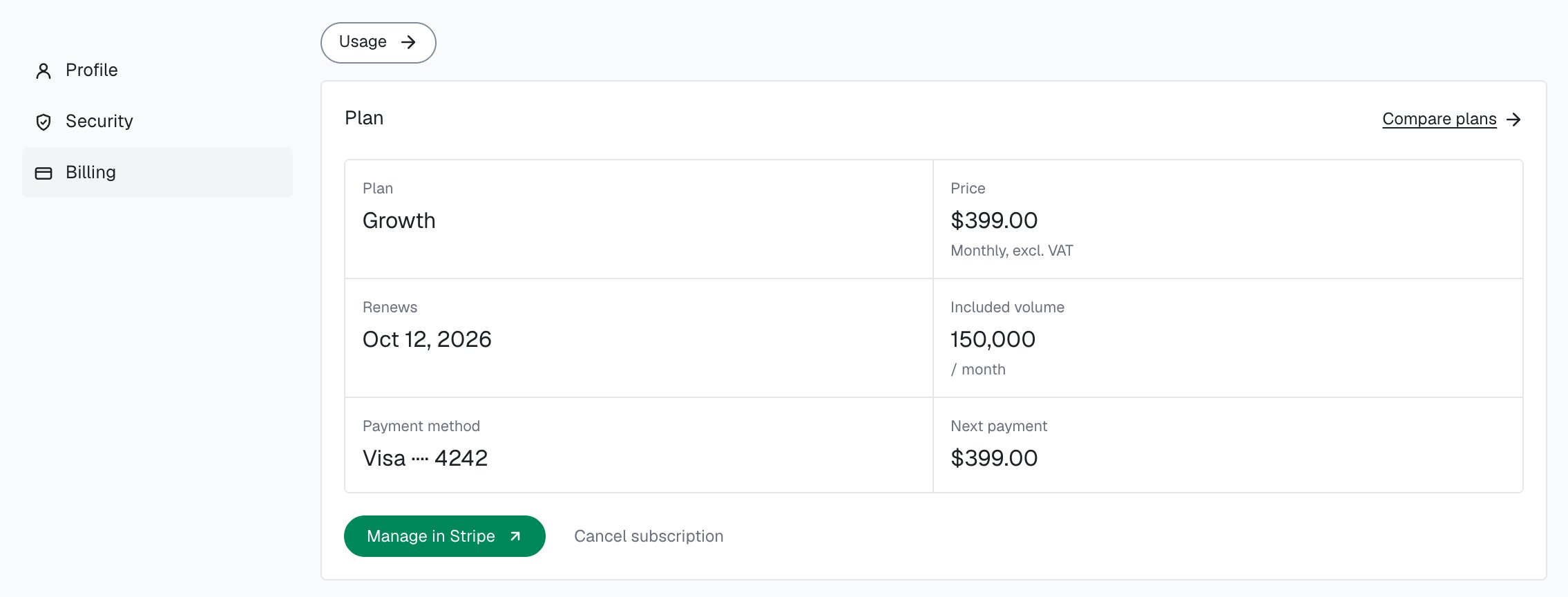
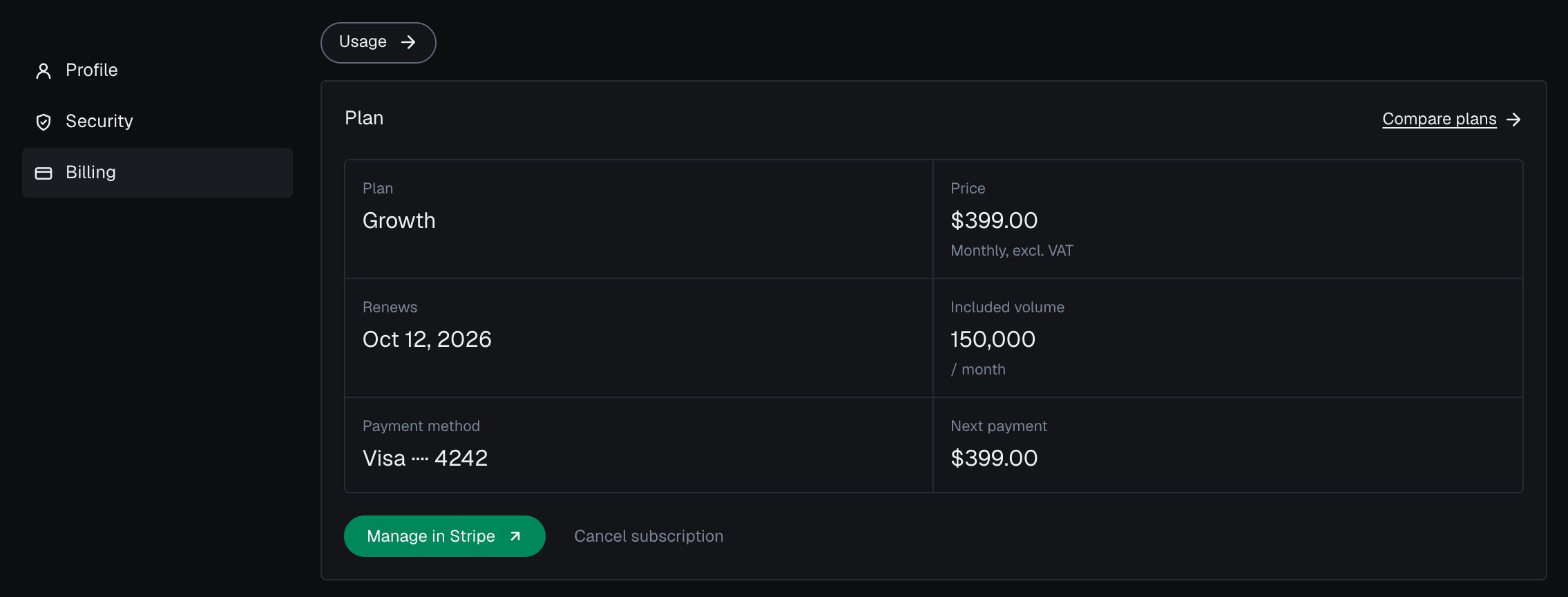
Plan and payment method in the analytics dashboard settings.
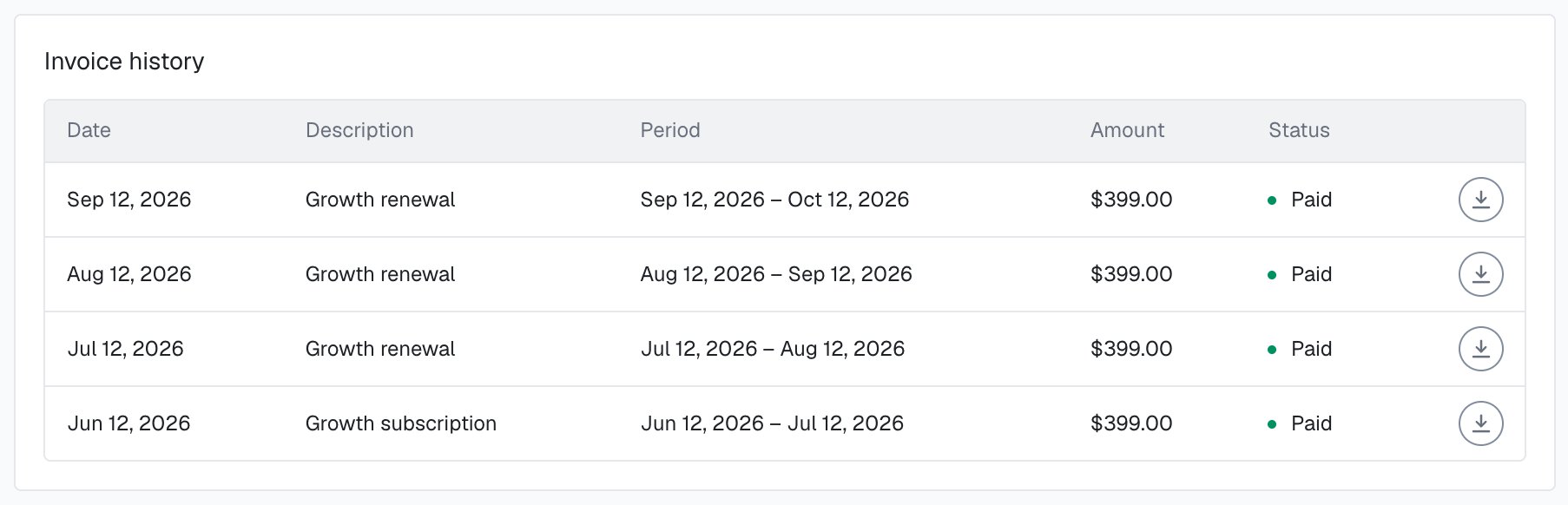
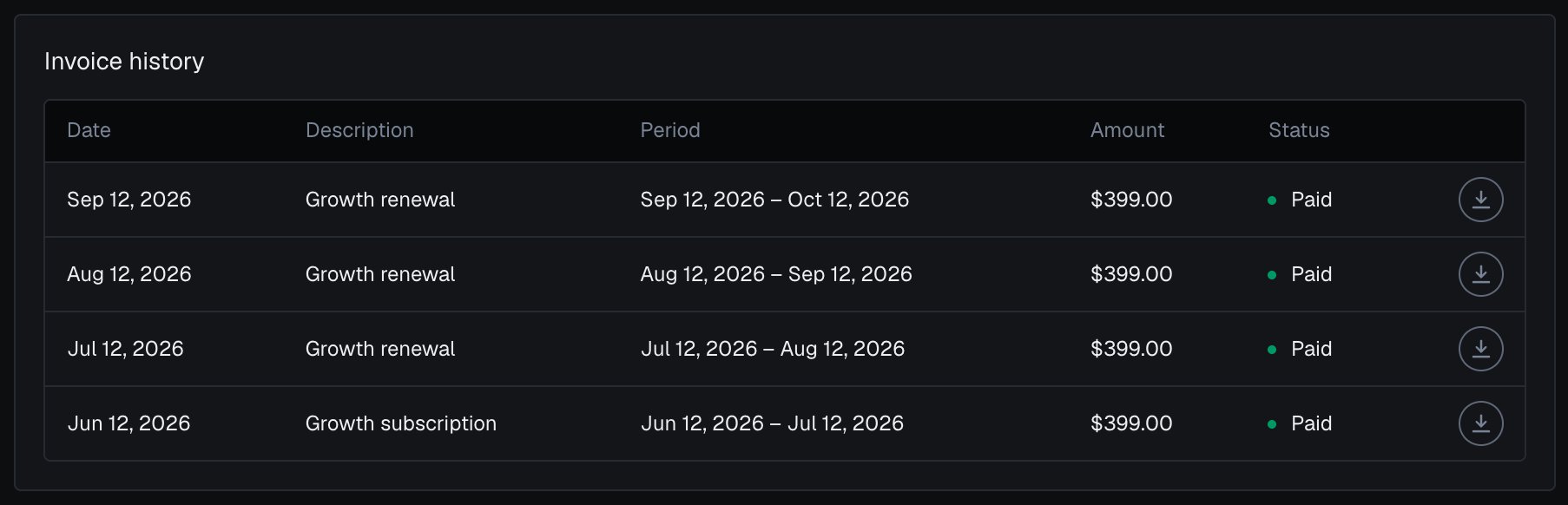
Invoice history in the analytics dashboard settings.
Profile and security
Settings > Profile holds your name, your email (changed through a confirmation link) and your display timezone, which every date and time on every screen follows. Settings > Security changes your password.Next steps
Billing
Plans, included identifications and billing cycles.
Optimizing usage
Where to place calls so each identification counts.
Rate limits
Per-visitor and per-domain limits, and the frozen state.
Errors
HTTP 402 and the other statuses, by API.
Accounts and identifications
The identification your plan counts, and the account behind it.
Domains
One account quota shared by all your domains.