

This page describes the new analytics dashboard, which is rolling out to all accounts.
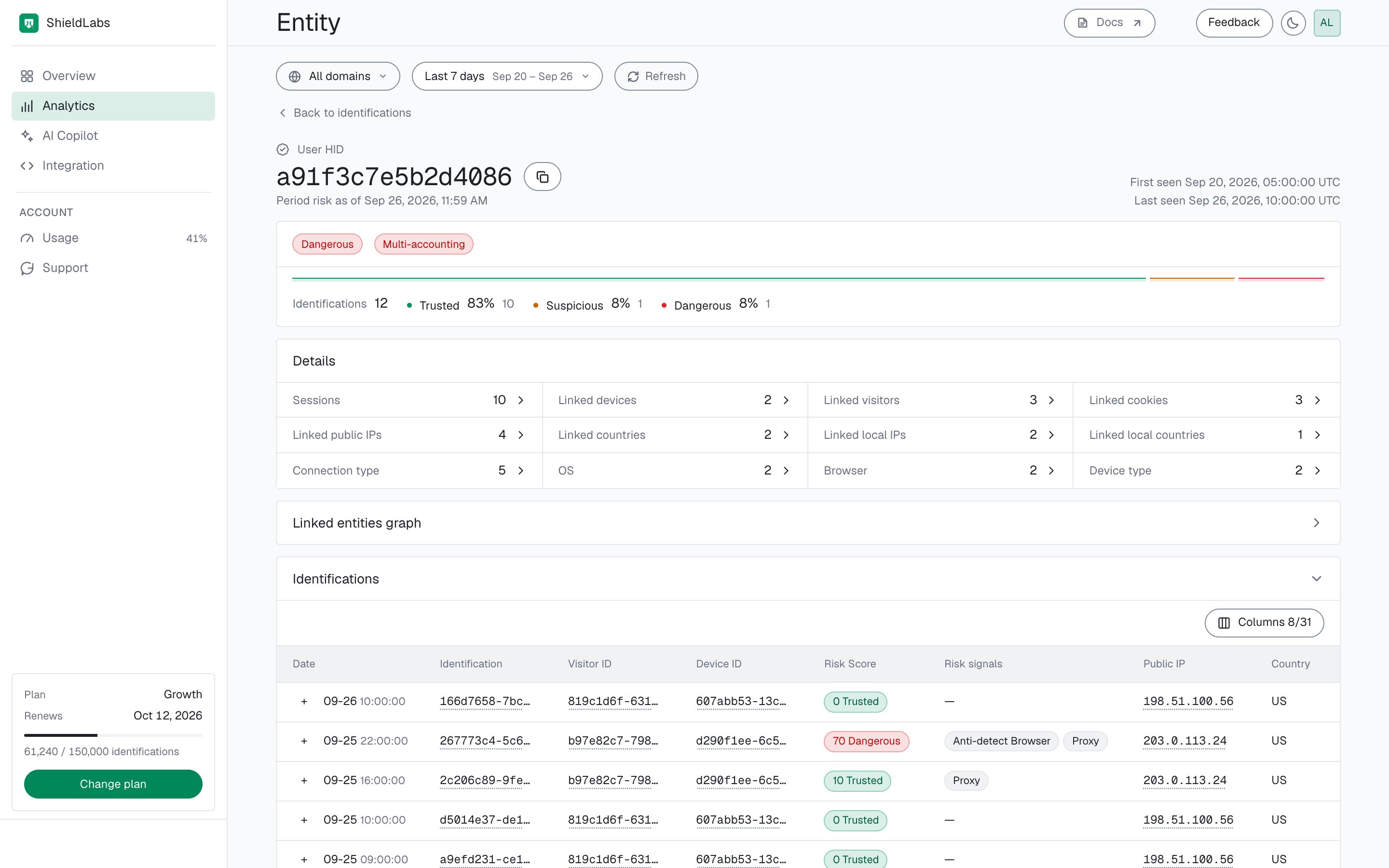
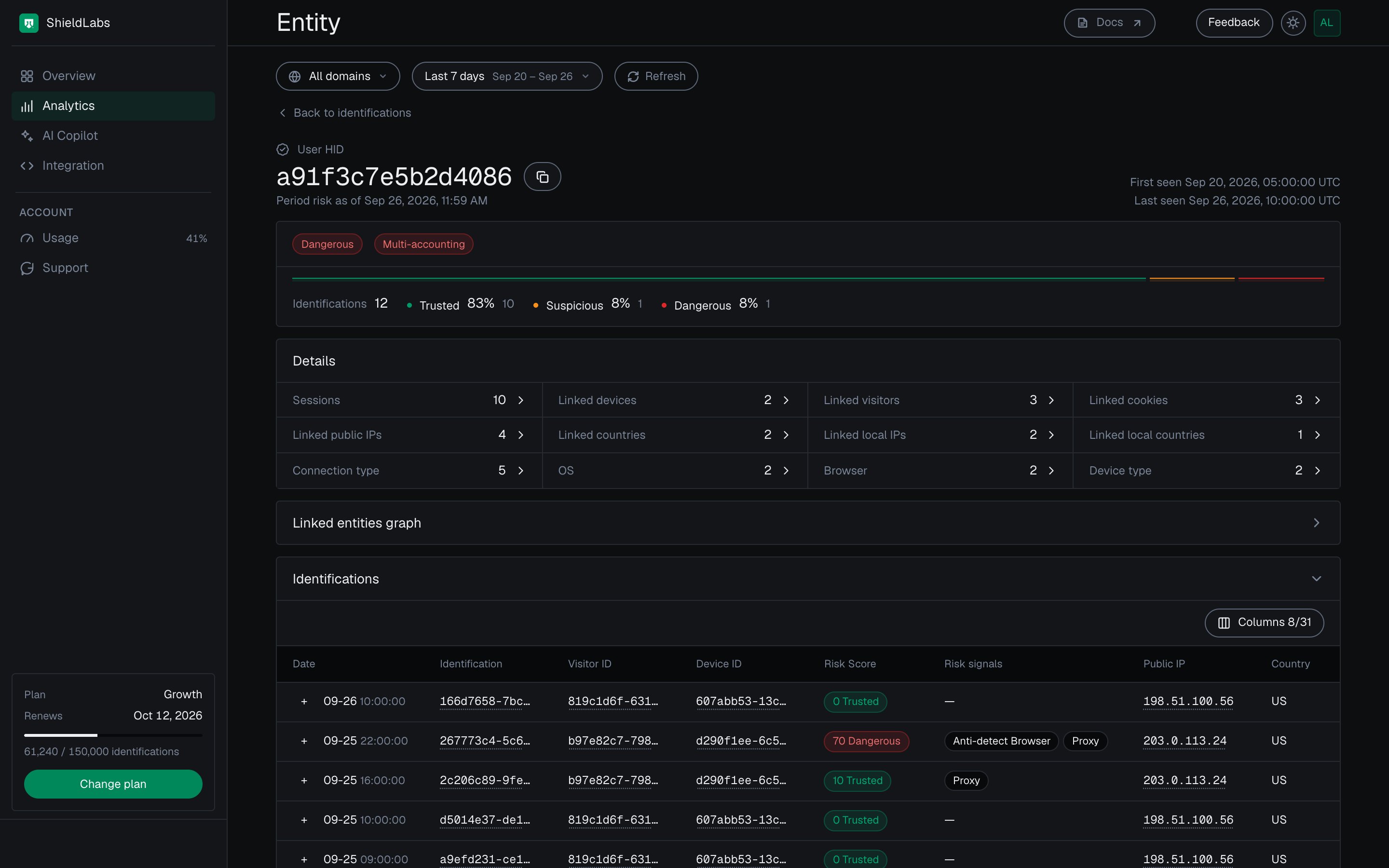
A user card in the analytics dashboard: its band for the period, its Multi-accounting event (red pill: High confidence), its linked identities and its identifications.
Open a card
Select any User HID, Device ID, Visitor ID or Public IP in Analytics, on an identification card, or in a linked list on another card. A card follows the period and domain selected at the top of the screen, so change the period to see the same identity over a longer or shorter stretch.The header
- Type and identifier: User HID, Device ID, Visitor ID or Public IP, with a copy button.
- First seen and Last seen: when ShieldLabs first and last identified it.
- Band: the worst band of the identity’s identifications in the selected period. Period risk as of, under the identifier, shows when that band was computed.
- High-Risk Events, on user cards: one pill per event, named by the event; the pill’s colour gives its confidence, orange for Medium and red for High. These are the colours of the Suspicious and Dangerous bands, but the pill is an event, separate from the band. An event leaves the band as it is, so a user can be Trusted on every identification and still be multi-accounting.
- Band split: how many identifications the identity had in the period and how they divide into Trusted, Suspicious and Dangerous. Twenty Trusted identifications and one Dangerous one make a Dangerous user, and the split shows how rare that one was.


A user in the analytics dashboard: the worst band of its identifications and a High-Risk Event (red pill: High confidence).
Details and linked identities
Details counts what the identity is linked to in the period: Sessions, Linked devices, Linked visitors, Linked accounts, Linked cookies, Linked public IPs, Linked local IPs, Linked countries, Linked local countries, Connection type, OS, Browser and Device type. A card leaves out its own type, so a user card has no Linked accounts counter and a device card no Linked devices counter. Select a counter to list its values with their Identifications and Risk. Risk is the worst band of the identifications this card shares with that device, visitor, account or public IP; open the linked card to see its own band for the period. The other lists, such as linked local IPs and countries, show a dash under Risk. A linked device, visitor, account or public IP opens its own card, so you can walk from an account to its devices, and from a device to every other account on it. Linked local IPs show the address the browser itself reports, which can differ from the public IP behind a VPN or proxy.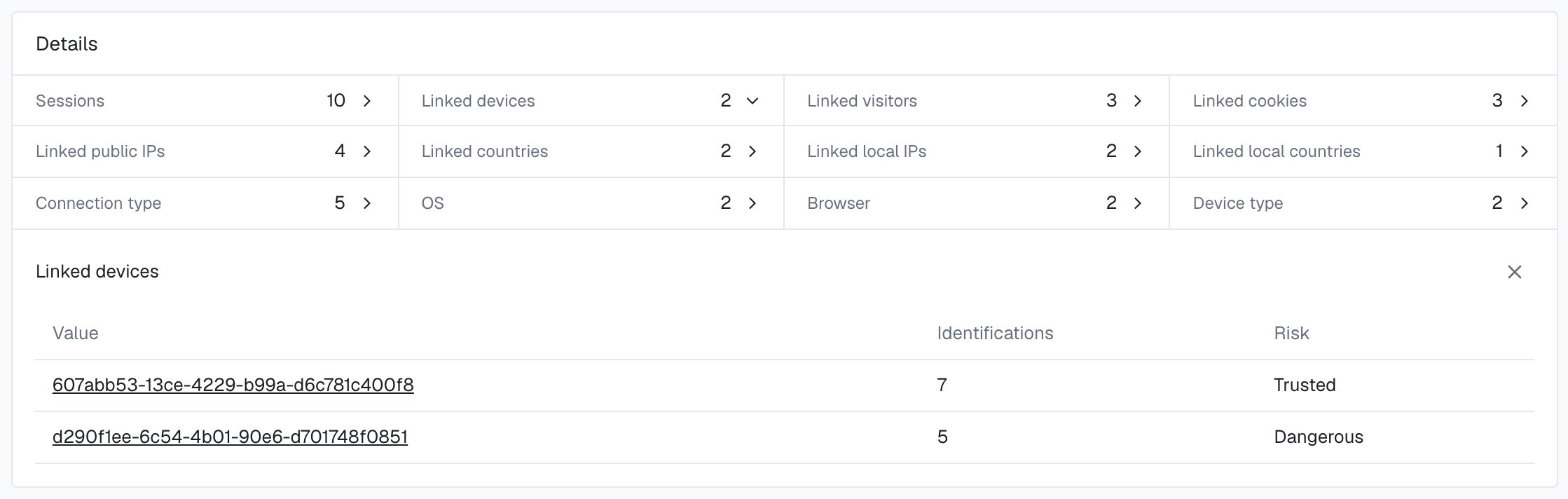
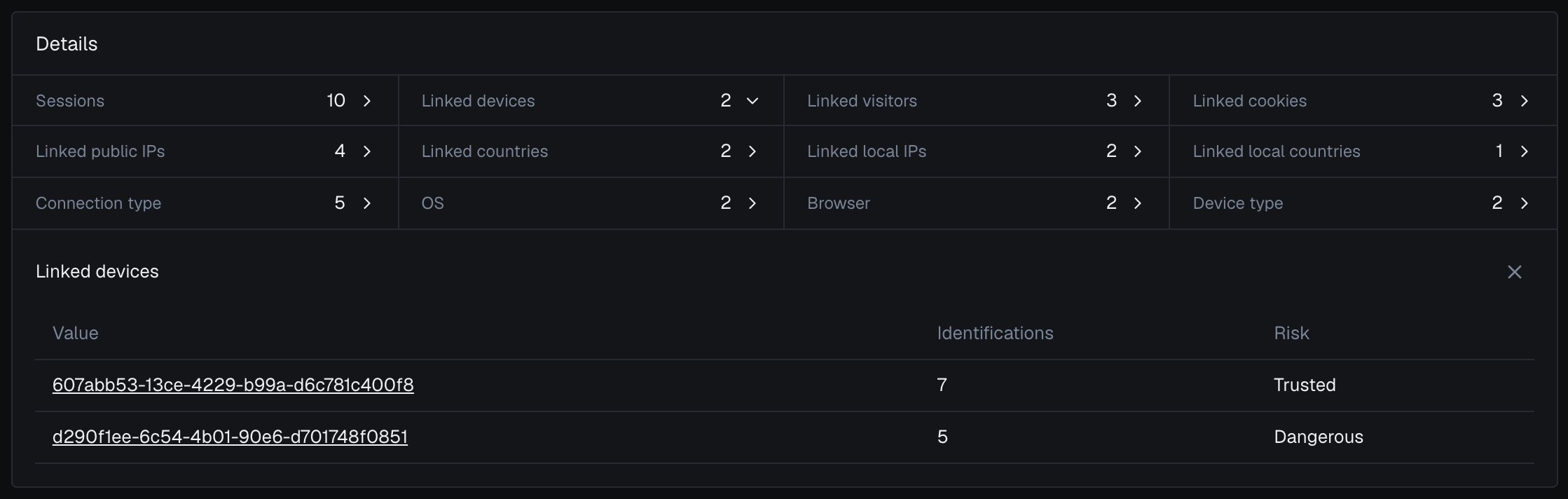
The devices linked to one user in the analytics dashboard, with the band of the identifications they share.
Linked entities graph
User cards add the Linked entities graph: the user at the top, with its devices, cookies, visitors and public IPs in columns below it. A line means that identity shared at least one identification with this user. The diagram draws up to six of each type, and the lists under it hold them all with their identification counts. Clear a type’s checkbox to hide that type, and select a device, visitor or public IP to open its card.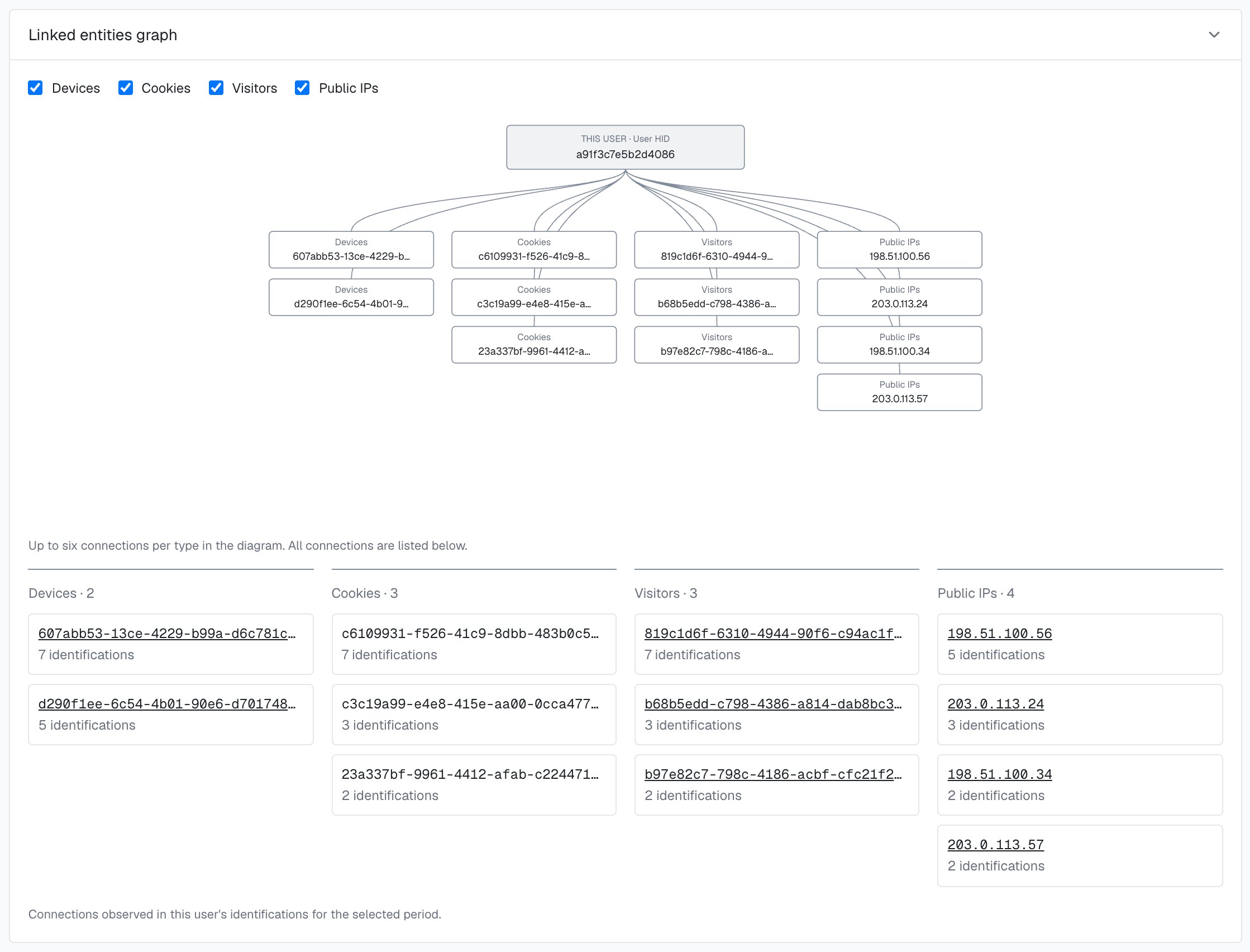
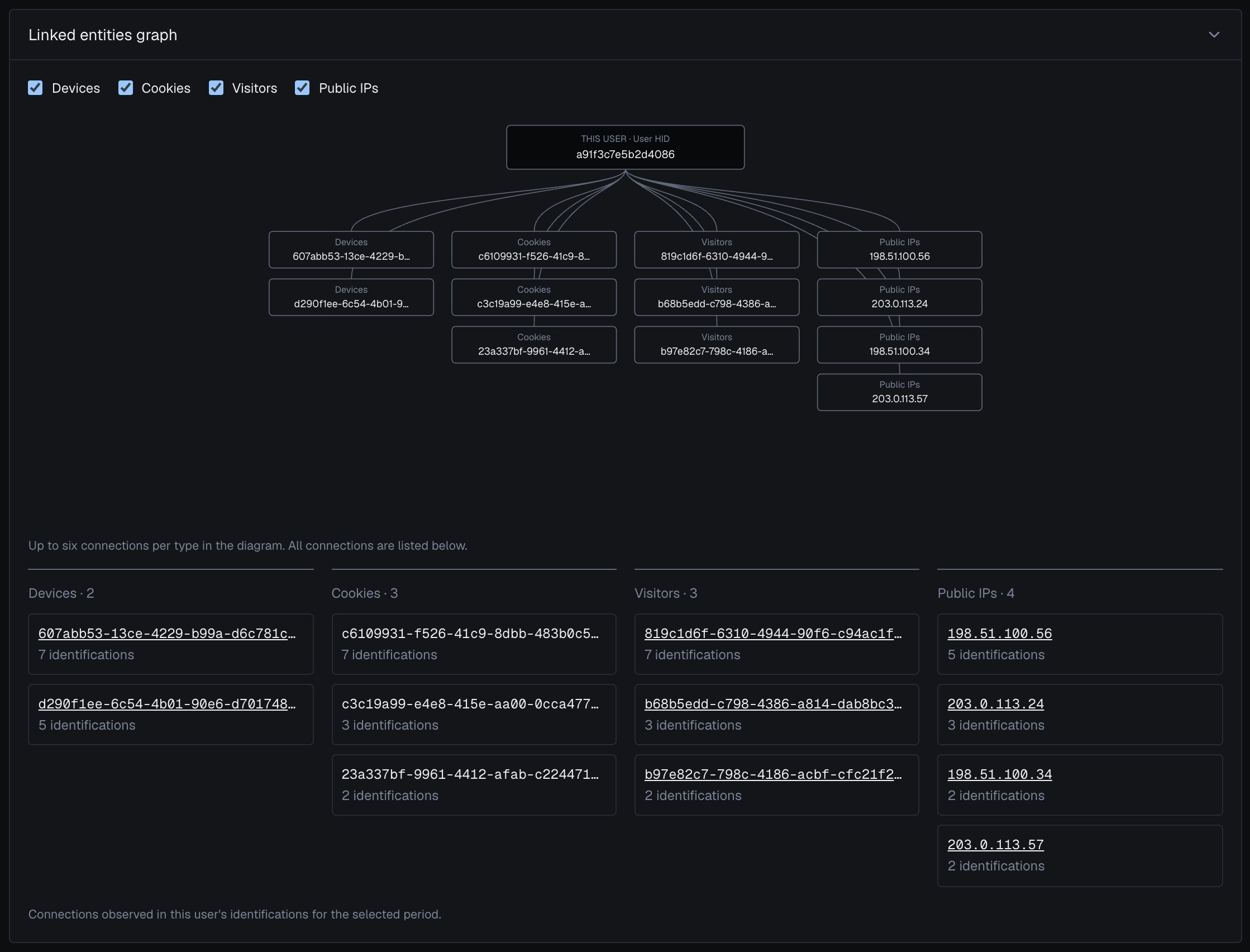
The Linked entities graph in the analytics dashboard: the devices, cookies, visitors and public IPs that share identifications with this user.
Device, visitor and public IP cards
The other cards use the same header, band split and Details, without the graph. They answer the reverse question: which accounts sit behind this identity.- A device card lists Linked accounts: every user seen on that Device ID in the period, each with the worst band of its identifications on this device. The Device ID holds through cleared cookies, incognito mode and IP changes, so one device can link accounts that look unrelated.
- A visitor card covers one device plus one cookie. When the cookie is cleared, the same device starts a new Visitor ID.
- A public IP card lists the accounts, devices and local IPs seen behind that address.
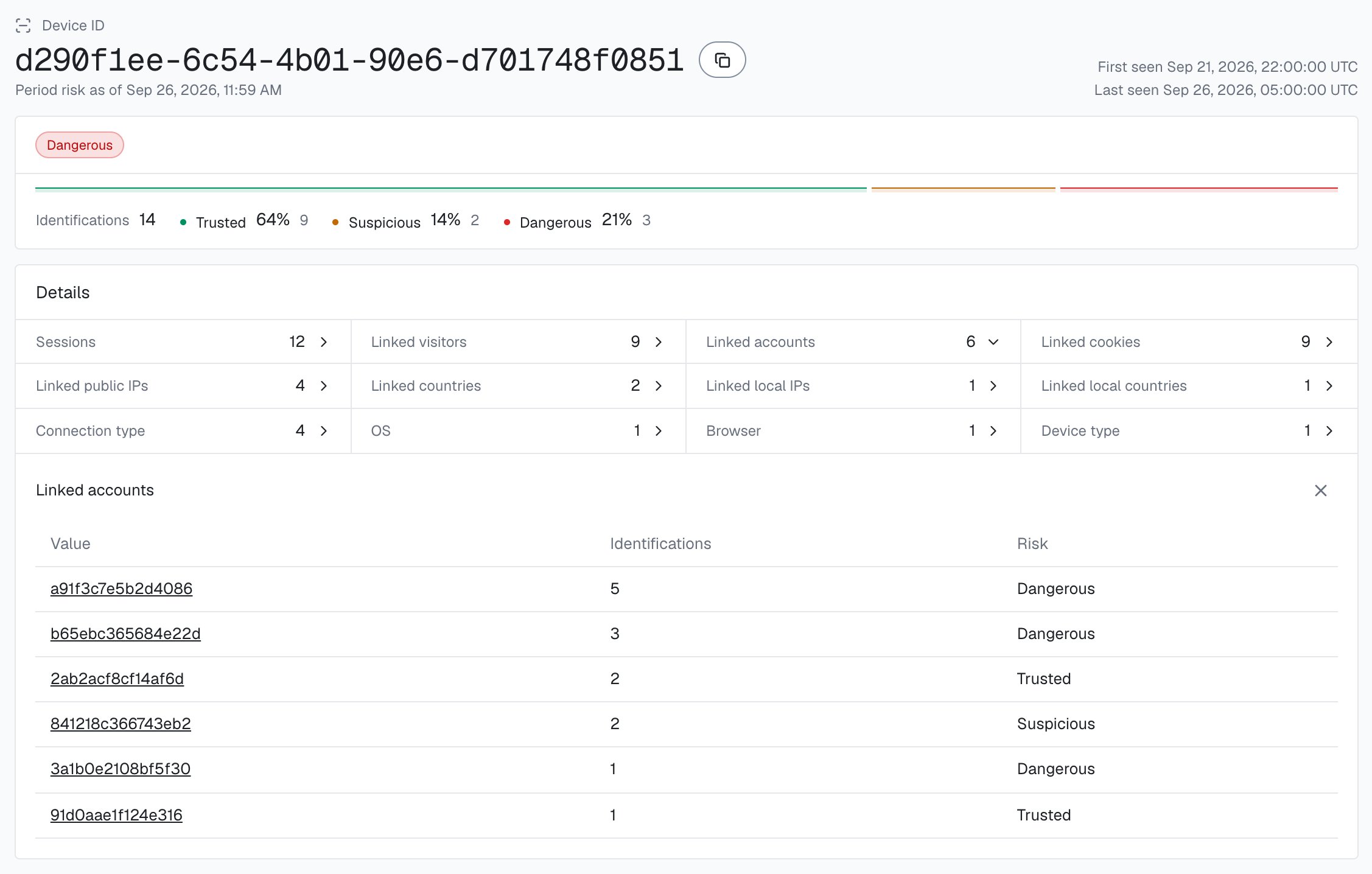
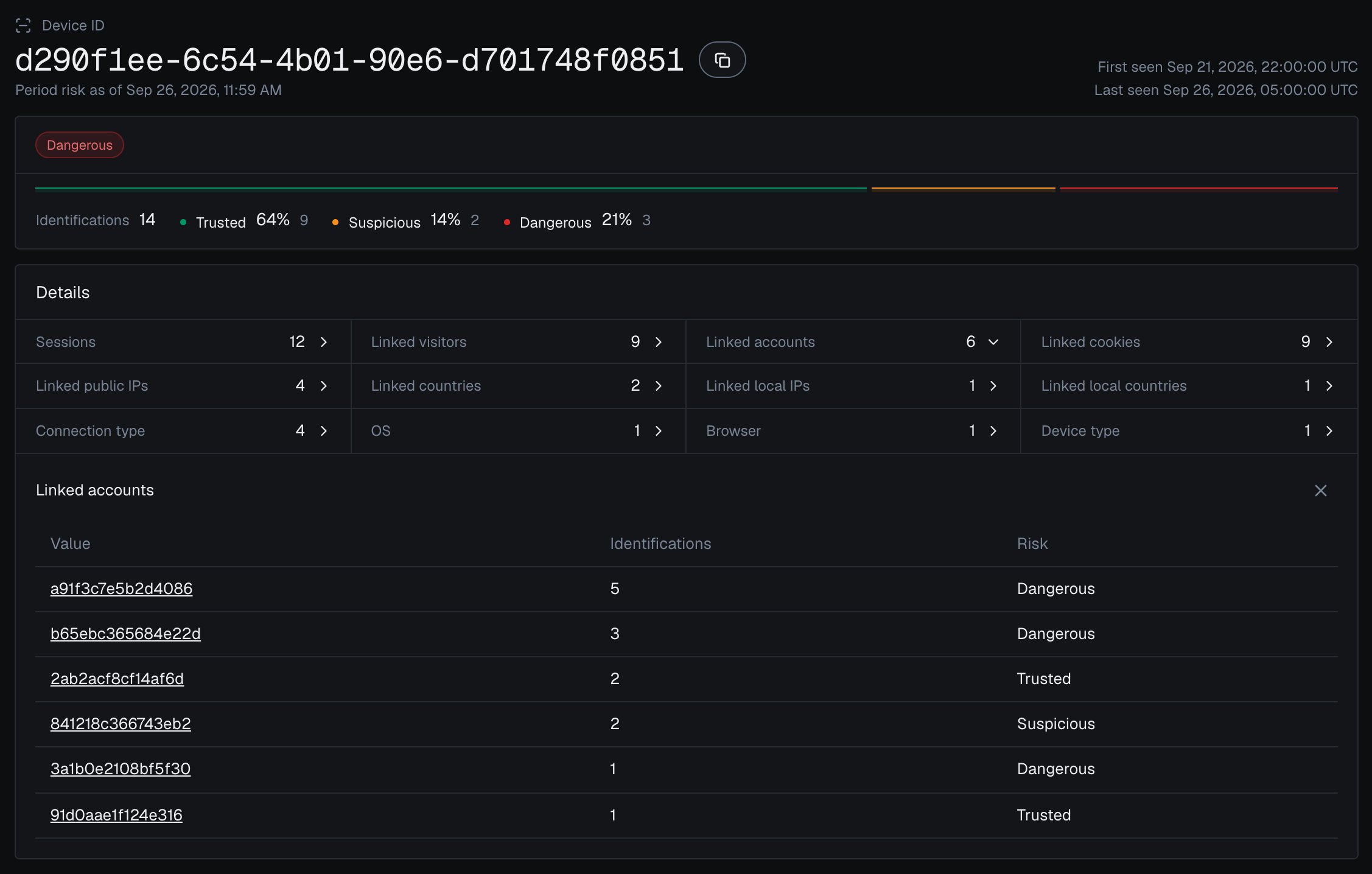
One Device ID in the analytics dashboard, with every account linked to it.
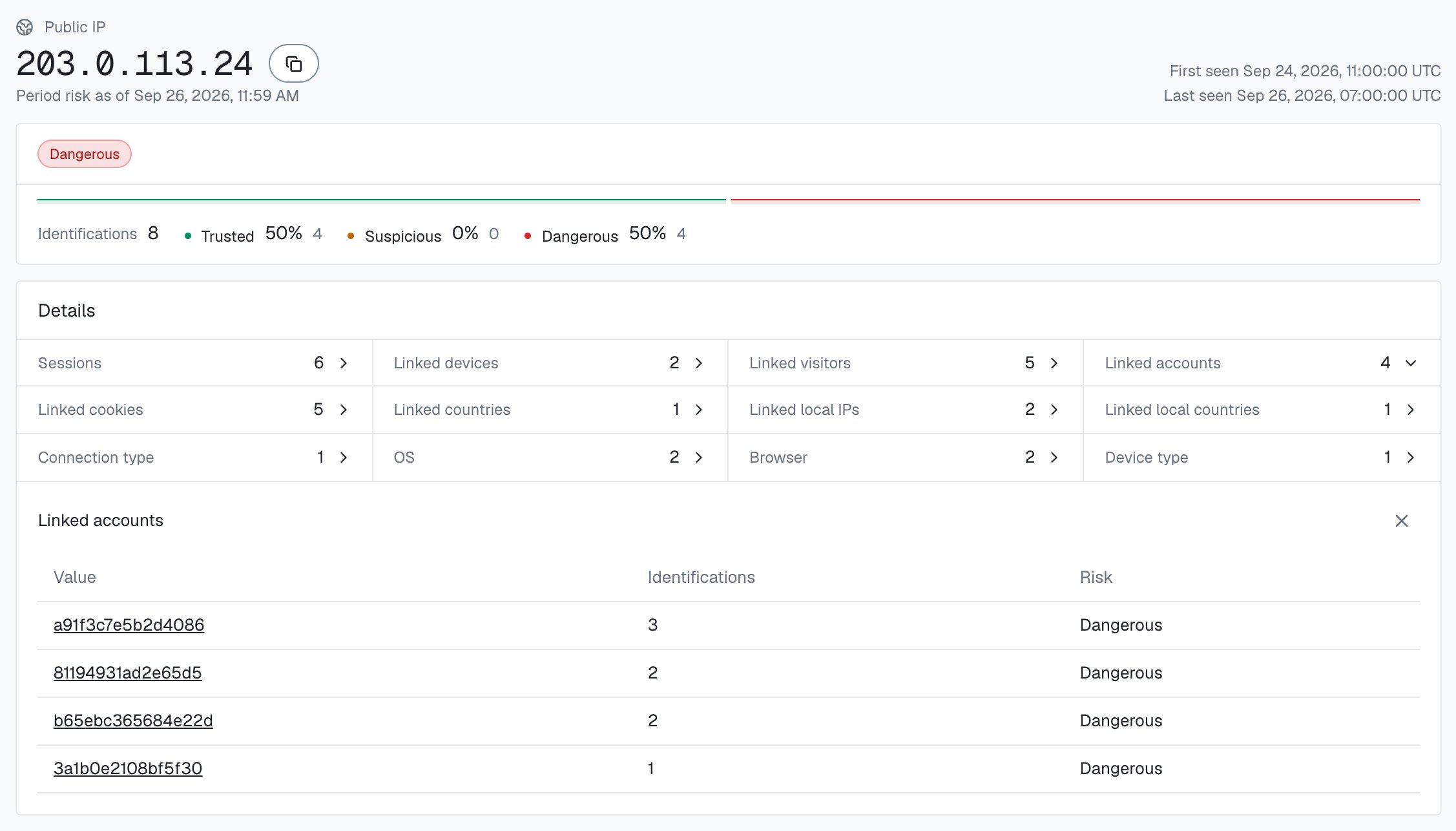
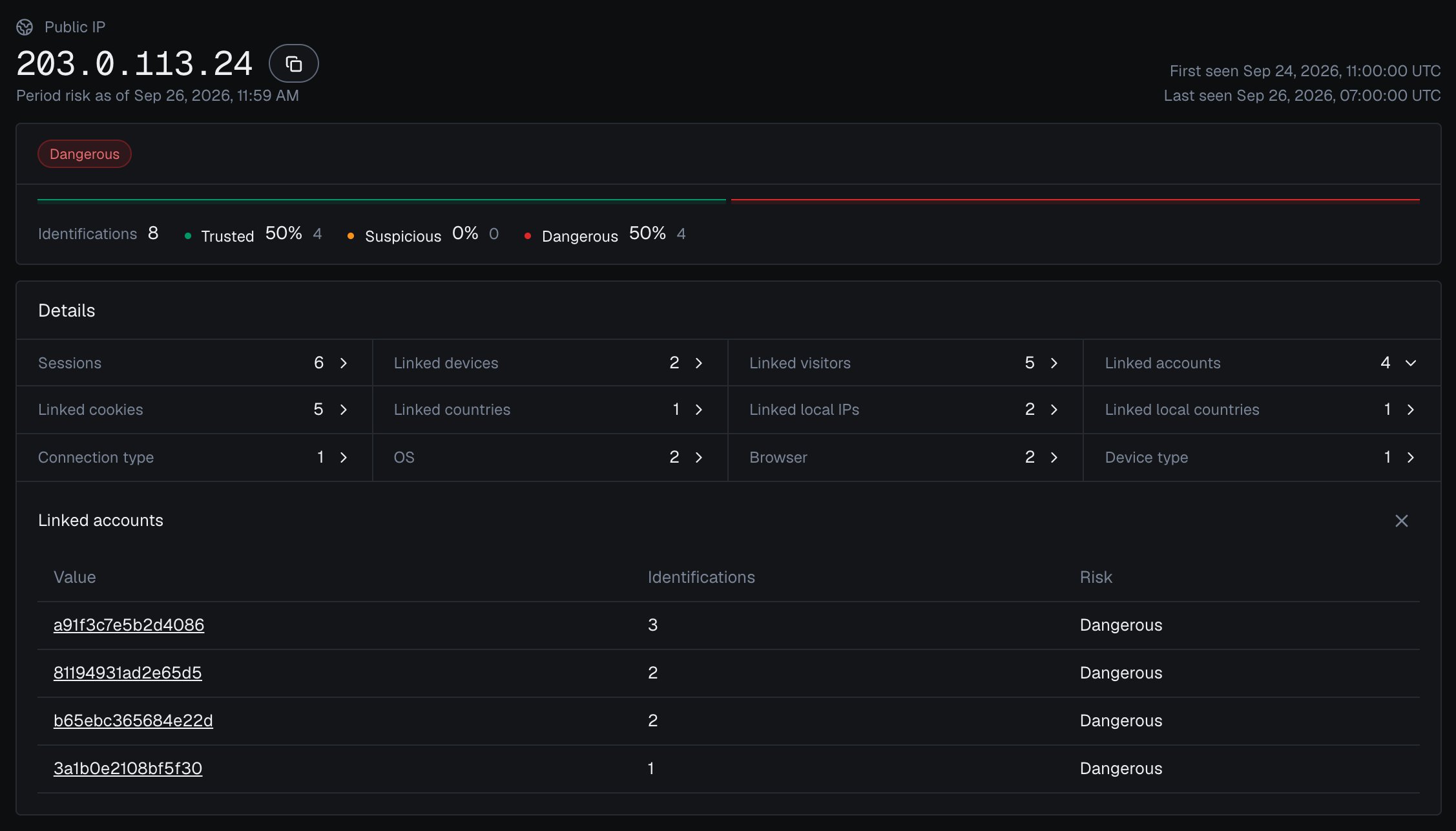
A public IP card in the analytics dashboard with the accounts and devices seen behind it.
Identifications
Identifications, at the bottom of every card, lists the identifications behind the band, with Columns to choose what you see. Select a row or its request ID to expand the full identification card in place: Risk Score, risk signals, details, the risk of its identities, device and network, and traffic source.Next steps
Identification card
The Risk Score and weighted risk signals behind a band.
Investigate a risky user
Walk one account from the Overview to an action in your backend.
Users, devices, visitors and IPs
The five identities, their bands and how they link.
High-Risk Events
Multi-accounting, Account sharing, Impossible travel and Account takeover.
Read one account in code
Every identification of one account through the History API.
Acting on results
Turn what you see on a card into an action in your backend.