

Two ways to give your AI tool the full context.
- Every page in these docs has a menu in the top-right to Copy page, View as Markdown, or open it directly in ChatGPT or Claude with the page preloaded, and to connect the docs to Cursor or VS Code.
- The entire documentation set is published as a single file at
/llms-full.txt(with a short index at/llms.txt). Paste either URL into your assistant to load all of ShieldLabs as background before you ask.
Install the snippet
Replace the placeholders, then paste into ChatGPT, Claude, or Cursor.Verify a webhook
Turn the Risk Score into a decision
Read a user’s history
Install with AI from the analytics dashboard
In the analytics dashboard, Integration > Install has Install with AI: a ready-made instruction to paste into your AI assistant, already filled in for the selected domain and stack. It carries your domain and Public Key, the snippets for anonymous visitors and signed-in users, and the Content-Security-Policy header for a site that sends one. It tells the assistant where the snippet goes, to pass a hashed user ID on signed-in pages, and how to check the install. Copy it with the copy button on the card or with Copy installation guide at the top of the tab, and select Show the whole prompt to read it first. See Integration for the rest of the screen.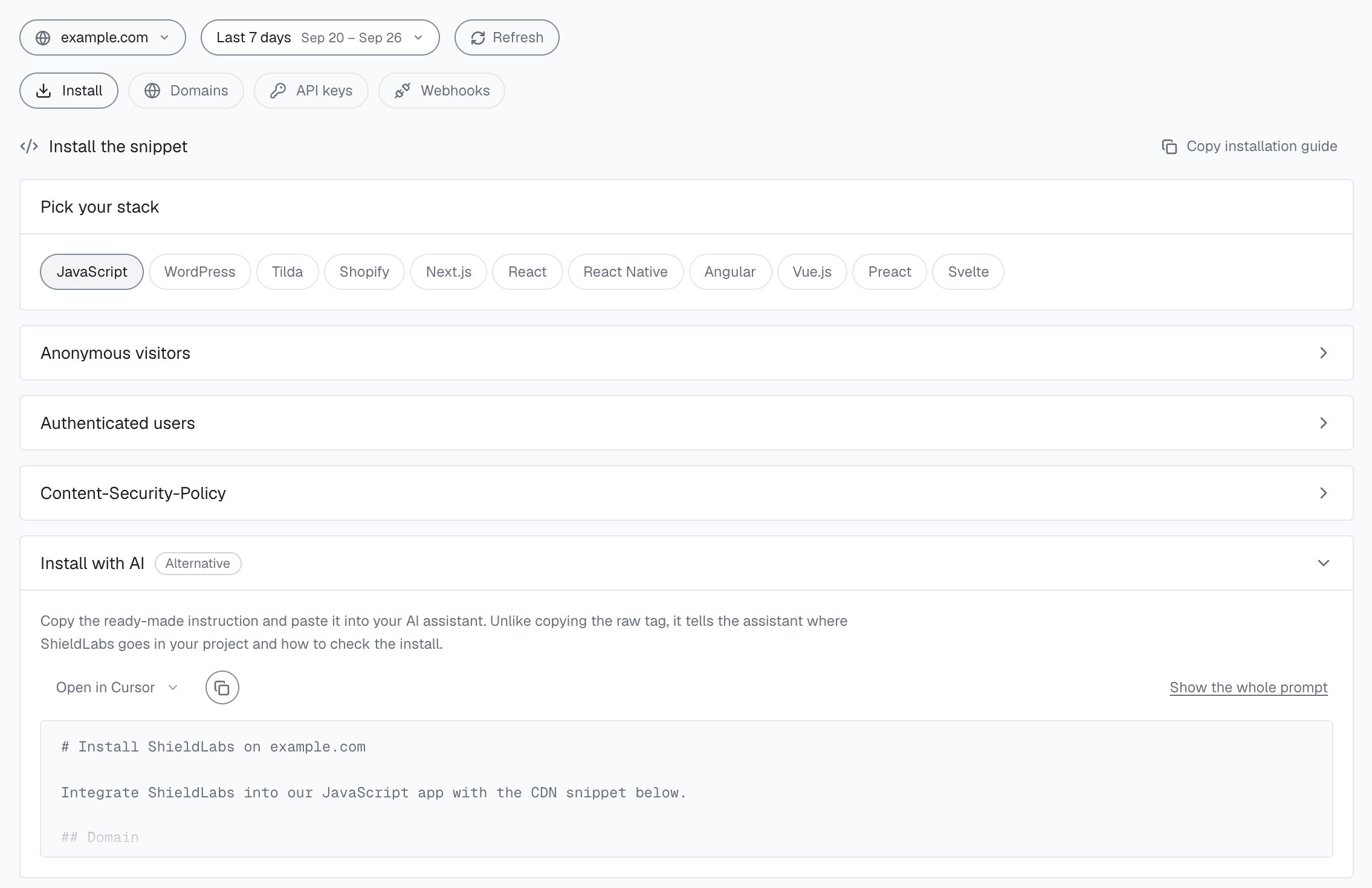
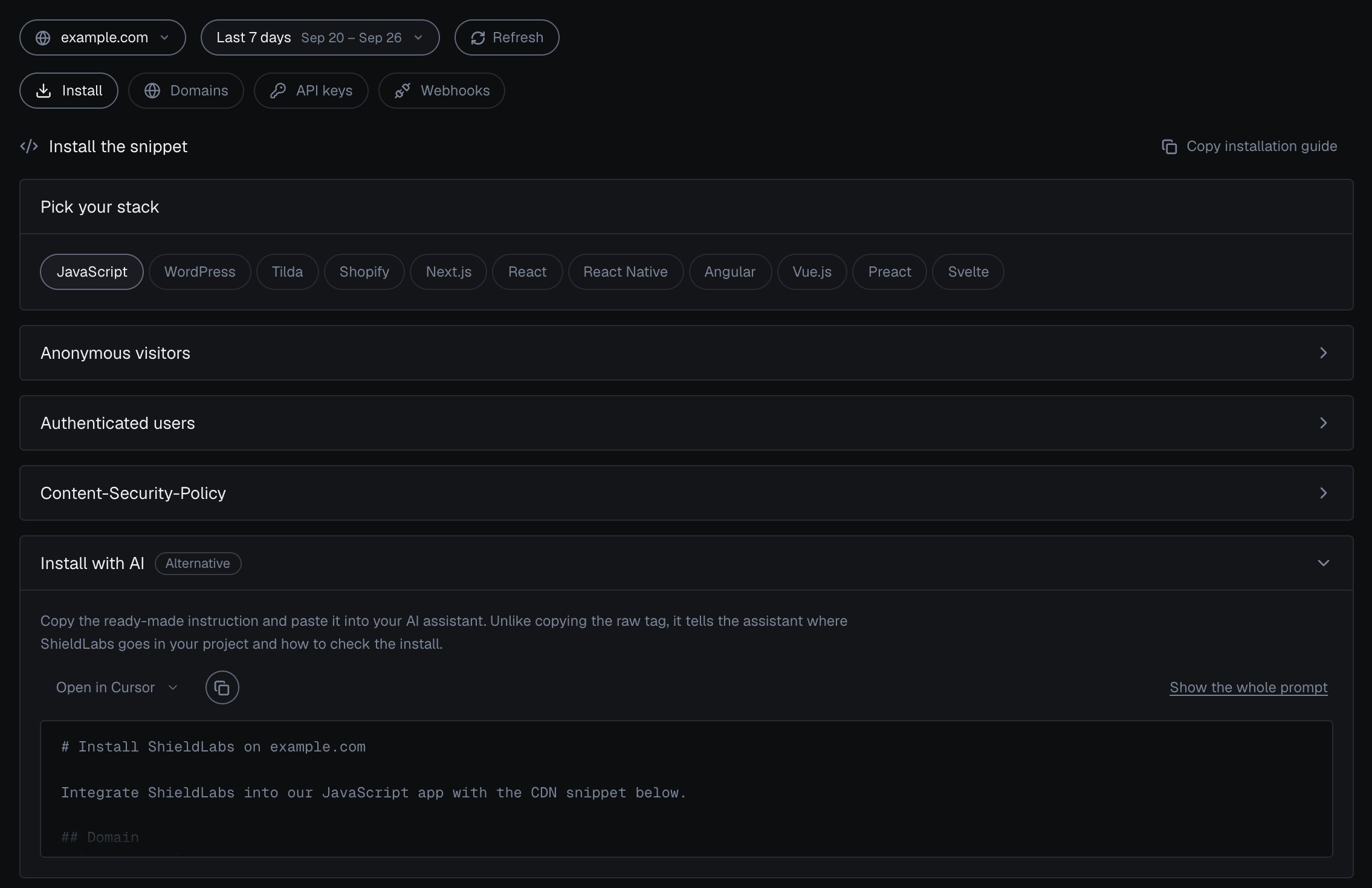
Install with AI in the analytics dashboard.
Keep the model honest
When you paste generated code back, sanity-check it against the real product:Snippet
The real exports, framework examples, and what the browser collects.
Webhooks
The snake_case event payload,
X-Shield-Signature verification, and handlers in Node, Go, and Python.Risk Scoring
The Risk Score from 0 to 100, its bands, and the
signals breakdown to branch on.Server API
History and profile endpoints with full request and response shapes.