> ## Documentation Index
> Fetch the complete documentation index at: https://docs.shieldlabs.ai/llms.txt
> Use this file to discover all available pages before exploring further.

# Integration

> Install the snippet, manage your domains, keys and webhook endpoints, and check that each site is reporting.

<Note>
  This page describes the new analytics dashboard, which is rolling out to all accounts.
</Note>

Integration is where you connect a site to ShieldLabs. It has four tabs: **Install**, **Domains**, **API keys** and **Webhooks**. Pick the domain you are working on at the top of the screen; the period there sets the identification counts and key usage shown on this screen. Each section below maps one tab and links the setup page with the full steps.

## Install

**Install** shows the snippet for the selected domain, with its Public Key already in the import URL.

* **Pick your stack** to get the snippet in the form your platform expects.
* **Anonymous visitors**: the snippet with `checkAnonymous()`, for pages without sign-in.
* **Authenticated users**: the snippet with `checkAuthenticatedUser(userHashedId)`. Pass a hashed User HID with `checkAuthenticatedUser` on every signed-in page. Users, account-level risk and all four High-Risk Events are built on it. Use a hashed or pseudonymous ID, never a raw internal ID.
* **Snippet methods**: `checkAnonymous`, `checkAuthenticatedUser`, `forceCheckAnonymous` and `forceCheckAuthenticatedUser`.

`checkAnonymous` and `checkAuthenticatedUser` run at most one identification every five minutes for the same user in the same browser, shared across open tabs. A call inside that window posts nothing, counts nothing, and its `onInitialized` handler receives `{ status: "not_initialized" }`. `forceCheckAnonymous` and `forceCheckAuthenticatedUser` run an identification every time, keep the current Session ID and restart the five-minute window.

The banner under the snippets shows whether the domain is reporting: it says identifications are arriving, with the time of the last one, once they do; **Pending**, with **Recheck**, until the first one arrives; **Paused**, with **Open Domains**, while you have paused the domain; and **Frozen** while the domain is at its rate limit. If your site sends a Content-Security-Policy header, allow the hosts listed on [Content Security Policy](/setup/csp). Full steps: [Install the snippet](/setup/snippet).
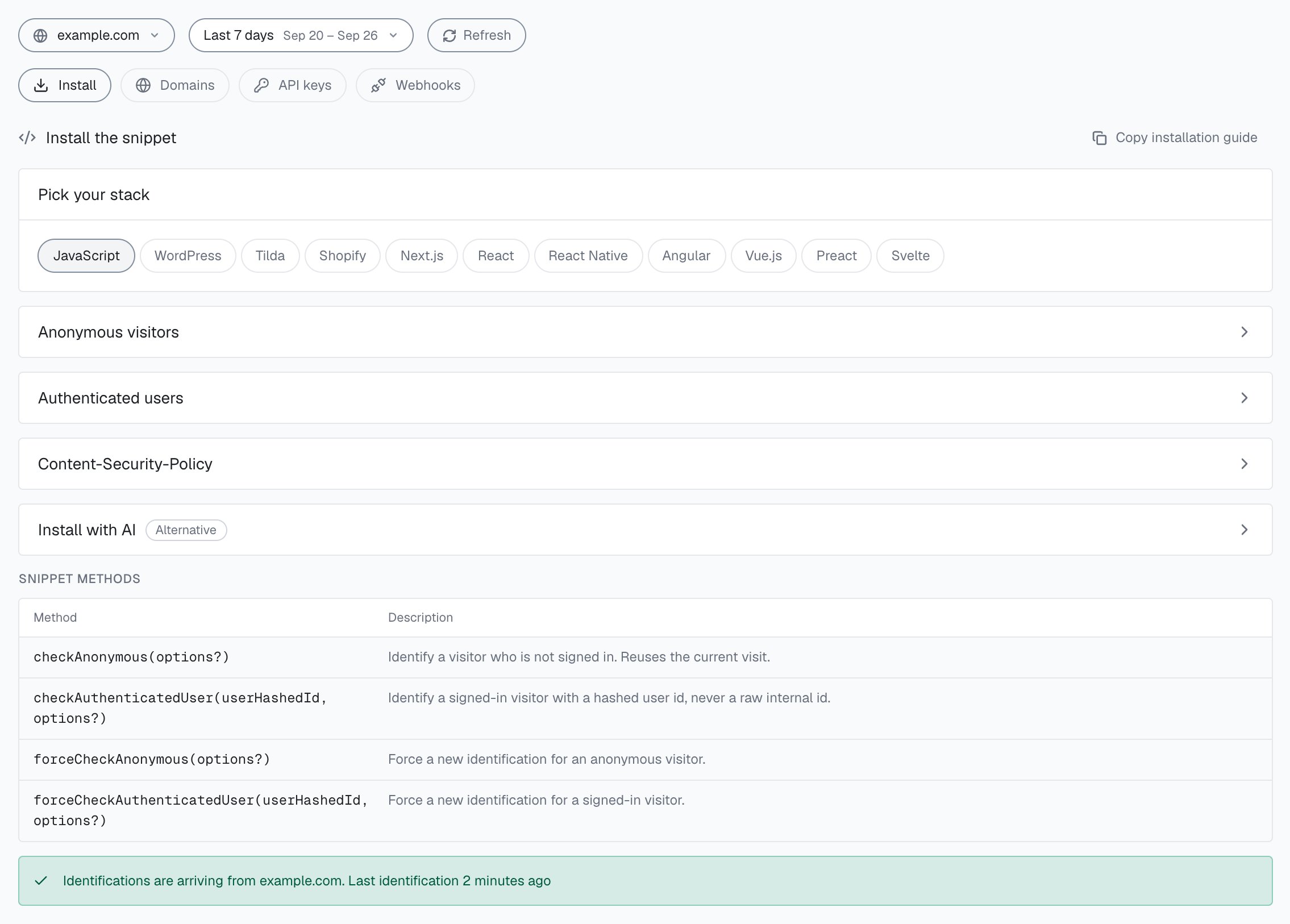
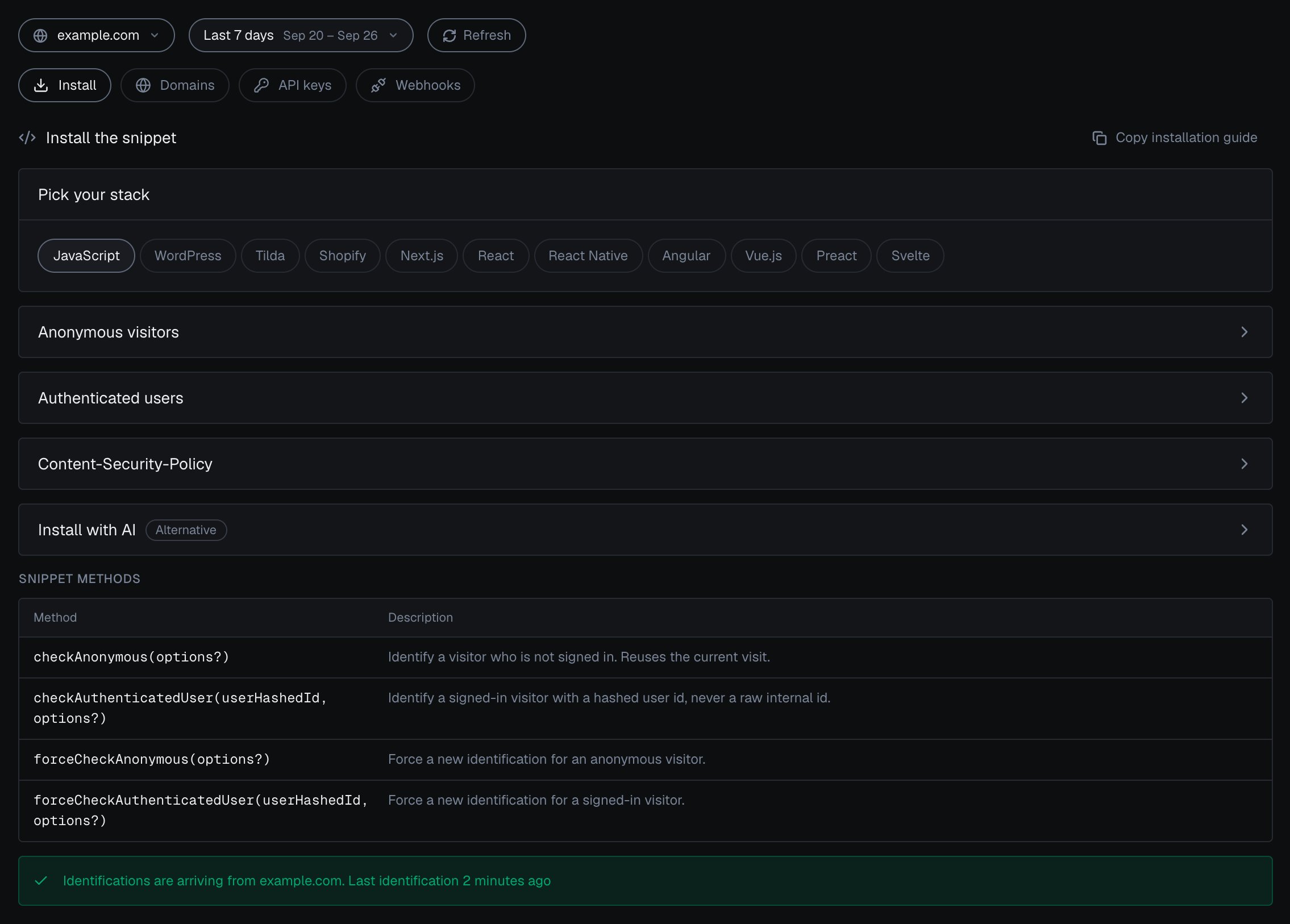
<Frame caption="Integration > Install in the analytics dashboard: pick your stack, open the snippet for anonymous visitors or authenticated users, and check that identifications are arriving.">
  <img className="block dark:hidden" src="https://mintcdn.com/shieldlabs-725d18f1/JyleDzUFYU3SXP4Q/images/dashboard/integration-install.png?fit=max&auto=format&n=JyleDzUFYU3SXP4Q&q=85&s=53b7f1284155b8ad21ebb37658416629" alt="Integration > Install for example.com in the analytics dashboard: the stack picker with JavaScript selected, the Anonymous visitors and Authenticated users snippet cards (each expands to its snippet), the Snippet methods table with checkAnonymous, checkAuthenticatedUser, forceCheckAnonymous and forceCheckAuthenticatedUser, and the line Identifications are arriving from example.com. Last identification 2 minutes ago." data-og-width="2270" width="2270" data-og-height="1626" height="1626" data-path="images/dashboard/integration-install.png" data-optimize="true" data-opv="3" srcset="https://mintcdn.com/shieldlabs-725d18f1/JyleDzUFYU3SXP4Q/images/dashboard/integration-install.png?w=280&fit=max&auto=format&n=JyleDzUFYU3SXP4Q&q=85&s=191957c1ac0216c9041b79f89aa4df4d 280w, https://mintcdn.com/shieldlabs-725d18f1/JyleDzUFYU3SXP4Q/images/dashboard/integration-install.png?w=560&fit=max&auto=format&n=JyleDzUFYU3SXP4Q&q=85&s=171e1f7db1334b440ccf330f7e8b47ef 560w, https://mintcdn.com/shieldlabs-725d18f1/JyleDzUFYU3SXP4Q/images/dashboard/integration-install.png?w=840&fit=max&auto=format&n=JyleDzUFYU3SXP4Q&q=85&s=fa4195ccfdd3e967bbf709e58f6554e1 840w, https://mintcdn.com/shieldlabs-725d18f1/JyleDzUFYU3SXP4Q/images/dashboard/integration-install.png?w=1100&fit=max&auto=format&n=JyleDzUFYU3SXP4Q&q=85&s=d3ae7c208786e2fb9db3b1b9424e0ea1 1100w, https://mintcdn.com/shieldlabs-725d18f1/JyleDzUFYU3SXP4Q/images/dashboard/integration-install.png?w=1650&fit=max&auto=format&n=JyleDzUFYU3SXP4Q&q=85&s=b9fe0c94042ca1cab979e91a14ef51cb 1650w, https://mintcdn.com/shieldlabs-725d18f1/JyleDzUFYU3SXP4Q/images/dashboard/integration-install.png?w=2500&fit=max&auto=format&n=JyleDzUFYU3SXP4Q&q=85&s=d22ea98cec48e44df506b1e55557d9cd 2500w" />

  <img className="hidden dark:block" src="https://mintcdn.com/shieldlabs-725d18f1/JyleDzUFYU3SXP4Q/images/dashboard/integration-install-dark.png?fit=max&auto=format&n=JyleDzUFYU3SXP4Q&q=85&s=79ac6911f5357327a4be16035672d314" alt="Integration > Install for example.com in the analytics dashboard in the dark theme: the stack picker with JavaScript selected, the Anonymous visitors and Authenticated users snippet cards (each expands to its snippet), the Snippet methods table with checkAnonymous, checkAuthenticatedUser, forceCheckAnonymous and forceCheckAuthenticatedUser, and the line Identifications are arriving from example.com. Last identification 2 minutes ago." data-og-width="2270" width="2270" data-og-height="1626" height="1626" data-path="images/dashboard/integration-install-dark.png" data-optimize="true" data-opv="3" srcset="https://mintcdn.com/shieldlabs-725d18f1/JyleDzUFYU3SXP4Q/images/dashboard/integration-install-dark.png?w=280&fit=max&auto=format&n=JyleDzUFYU3SXP4Q&q=85&s=ec814d76f9f7a3c8b29762bff4c254ba 280w, https://mintcdn.com/shieldlabs-725d18f1/JyleDzUFYU3SXP4Q/images/dashboard/integration-install-dark.png?w=560&fit=max&auto=format&n=JyleDzUFYU3SXP4Q&q=85&s=e91e1764cd4947c1330f41097d71a12f 560w, https://mintcdn.com/shieldlabs-725d18f1/JyleDzUFYU3SXP4Q/images/dashboard/integration-install-dark.png?w=840&fit=max&auto=format&n=JyleDzUFYU3SXP4Q&q=85&s=fb13f73d83db0c32304a024e5d2ad0aa 840w, https://mintcdn.com/shieldlabs-725d18f1/JyleDzUFYU3SXP4Q/images/dashboard/integration-install-dark.png?w=1100&fit=max&auto=format&n=JyleDzUFYU3SXP4Q&q=85&s=ade89d4ca9d3c171926bdff8655fe320 1100w, https://mintcdn.com/shieldlabs-725d18f1/JyleDzUFYU3SXP4Q/images/dashboard/integration-install-dark.png?w=1650&fit=max&auto=format&n=JyleDzUFYU3SXP4Q&q=85&s=2efa6917291fa9ce30e28cce85c00984 1650w, https://mintcdn.com/shieldlabs-725d18f1/JyleDzUFYU3SXP4Q/images/dashboard/integration-install-dark.png?w=2500&fit=max&auto=format&n=JyleDzUFYU3SXP4Q&q=85&s=035d2ce3672913f70c07179dce0437e3 2500w" />
</Frame>

**Install with AI**, marked **Alternative**, gives the same install as a ready-made instruction for your AI assistant: your domain and Public Key, the snippets for anonymous visitors and signed-in users, the Content-Security-Policy header, where the snippet goes and how to check the install. Copy it with the copy button on the card or with **Copy installation guide** at the top of the tab; **Show the whole prompt** expands it. [Build with AI](/build-with-ai) has prompts for the rest of the integration.
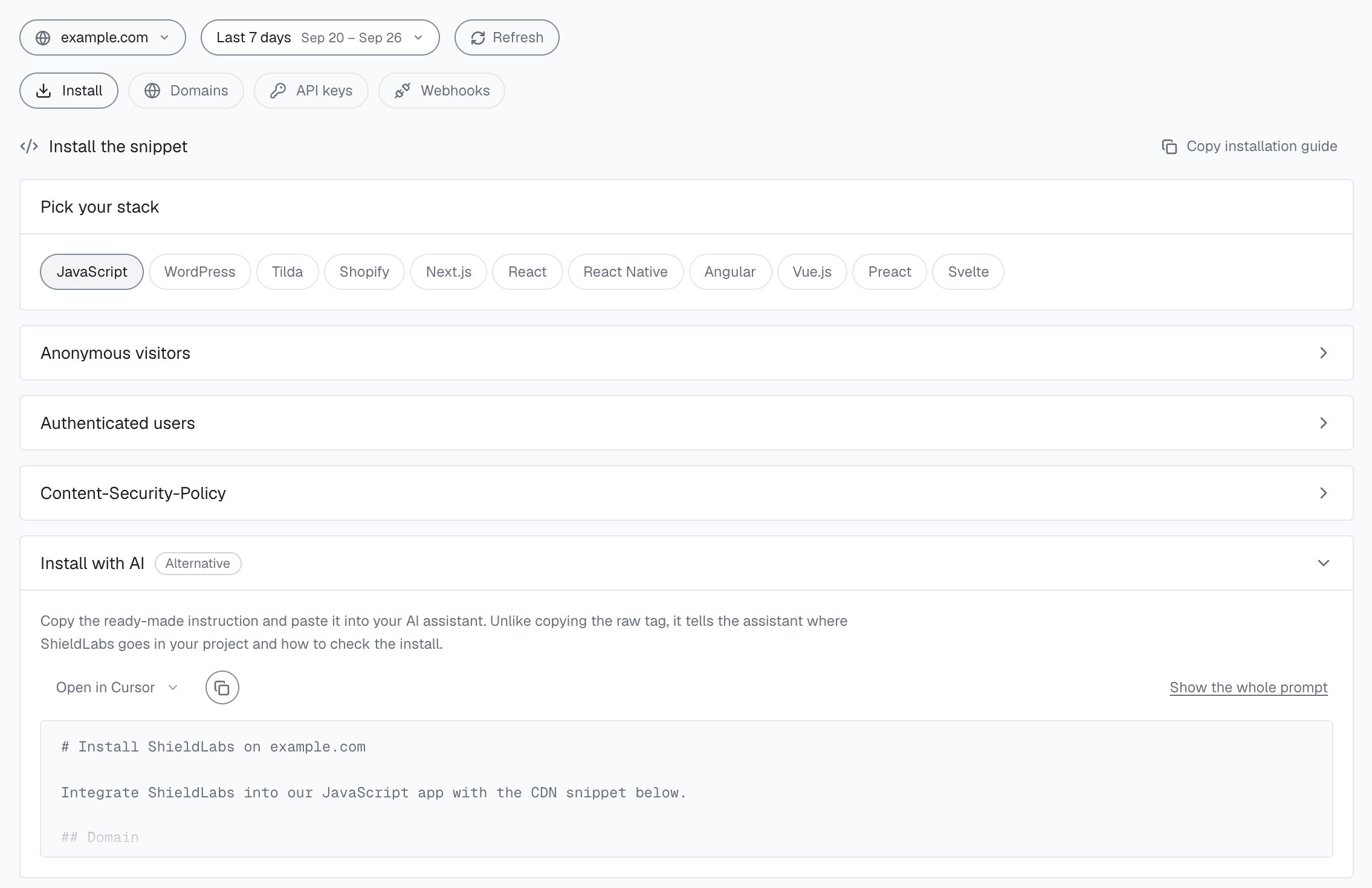
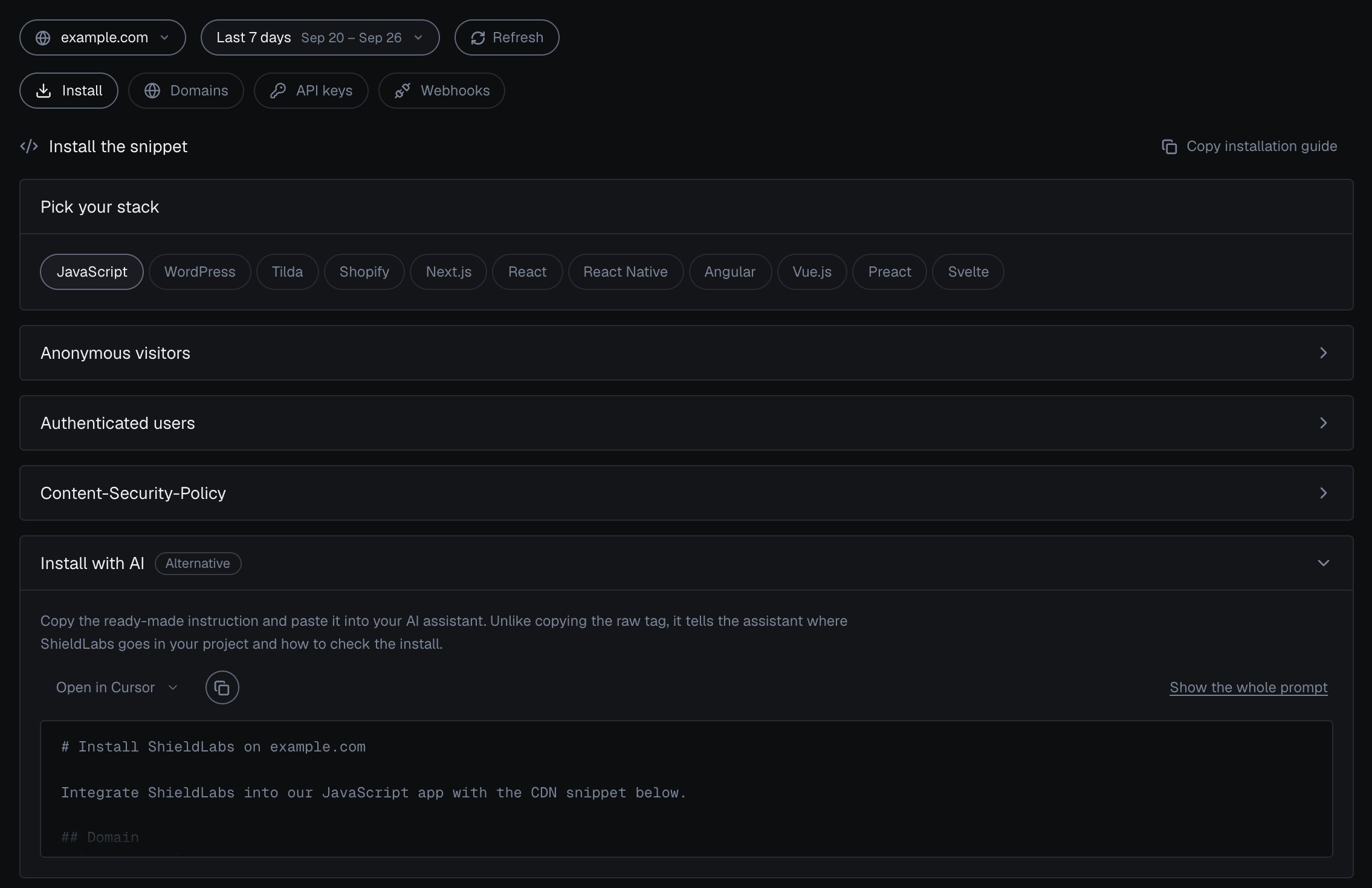
<Frame caption="Install with AI in the analytics dashboard.">
  <img className="block dark:hidden" src="https://mintcdn.com/shieldlabs-725d18f1/JyleDzUFYU3SXP4Q/images/dashboard/install-with-ai.png?fit=max&auto=format&n=JyleDzUFYU3SXP4Q&q=85&s=57c63dcf46d2dc59b1f192ff4dbc41b1" alt="Integration > Install for example.com in the analytics dashboard: Copy installation guide at the top, the stack picker with JavaScript selected, the Anonymous visitors, Authenticated users and Content-Security-Policy cards collapsed, and the Install with AI card (Alternative) open, with Open in Cursor, a copy button, Show the whole prompt and the start of the prompt: # Install ShieldLabs on example.com, Integrate ShieldLabs into our JavaScript app with the CDN snippet below." data-og-width="2270" width="2270" data-og-height="1470" height="1470" data-path="images/dashboard/install-with-ai.png" data-optimize="true" data-opv="3" srcset="https://mintcdn.com/shieldlabs-725d18f1/JyleDzUFYU3SXP4Q/images/dashboard/install-with-ai.png?w=280&fit=max&auto=format&n=JyleDzUFYU3SXP4Q&q=85&s=eaf263453ec3828f54485433389eb664 280w, https://mintcdn.com/shieldlabs-725d18f1/JyleDzUFYU3SXP4Q/images/dashboard/install-with-ai.png?w=560&fit=max&auto=format&n=JyleDzUFYU3SXP4Q&q=85&s=befec87f7dc5919ddd4ad63fb5538dd4 560w, https://mintcdn.com/shieldlabs-725d18f1/JyleDzUFYU3SXP4Q/images/dashboard/install-with-ai.png?w=840&fit=max&auto=format&n=JyleDzUFYU3SXP4Q&q=85&s=173a1c3bd9eda0844908a6237e920594 840w, https://mintcdn.com/shieldlabs-725d18f1/JyleDzUFYU3SXP4Q/images/dashboard/install-with-ai.png?w=1100&fit=max&auto=format&n=JyleDzUFYU3SXP4Q&q=85&s=f41fc67134b6f5ceb051a9df5707d748 1100w, https://mintcdn.com/shieldlabs-725d18f1/JyleDzUFYU3SXP4Q/images/dashboard/install-with-ai.png?w=1650&fit=max&auto=format&n=JyleDzUFYU3SXP4Q&q=85&s=5dcade0bc7321049d369d25f051abe16 1650w, https://mintcdn.com/shieldlabs-725d18f1/JyleDzUFYU3SXP4Q/images/dashboard/install-with-ai.png?w=2500&fit=max&auto=format&n=JyleDzUFYU3SXP4Q&q=85&s=919c35ee970fdeda10988ce49cc00750 2500w" />

  <img className="hidden dark:block" src="https://mintcdn.com/shieldlabs-725d18f1/JyleDzUFYU3SXP4Q/images/dashboard/install-with-ai-dark.png?fit=max&auto=format&n=JyleDzUFYU3SXP4Q&q=85&s=5ea032bfbe96a55dd483ab33a27fb180" alt="Integration > Install for example.com in the analytics dashboard in the dark theme: Copy installation guide at the top, the stack picker with JavaScript selected, the Anonymous visitors, Authenticated users and Content-Security-Policy cards collapsed, and the Install with AI card (Alternative) open, with Open in Cursor, a copy button, Show the whole prompt and the start of the prompt: # Install ShieldLabs on example.com, Integrate ShieldLabs into our JavaScript app with the CDN snippet below." data-og-width="2270" width="2270" data-og-height="1470" height="1470" data-path="images/dashboard/install-with-ai-dark.png" data-optimize="true" data-opv="3" srcset="https://mintcdn.com/shieldlabs-725d18f1/JyleDzUFYU3SXP4Q/images/dashboard/install-with-ai-dark.png?w=280&fit=max&auto=format&n=JyleDzUFYU3SXP4Q&q=85&s=1ca48f59d1ebc036fecf66f328d436ff 280w, https://mintcdn.com/shieldlabs-725d18f1/JyleDzUFYU3SXP4Q/images/dashboard/install-with-ai-dark.png?w=560&fit=max&auto=format&n=JyleDzUFYU3SXP4Q&q=85&s=e86ddcb68c159fb288775a9969de7210 560w, https://mintcdn.com/shieldlabs-725d18f1/JyleDzUFYU3SXP4Q/images/dashboard/install-with-ai-dark.png?w=840&fit=max&auto=format&n=JyleDzUFYU3SXP4Q&q=85&s=198f61949e72c489c89c5a5603a66bd5 840w, https://mintcdn.com/shieldlabs-725d18f1/JyleDzUFYU3SXP4Q/images/dashboard/install-with-ai-dark.png?w=1100&fit=max&auto=format&n=JyleDzUFYU3SXP4Q&q=85&s=7fed3cce337550c2fde757654a99e7e1 1100w, https://mintcdn.com/shieldlabs-725d18f1/JyleDzUFYU3SXP4Q/images/dashboard/install-with-ai-dark.png?w=1650&fit=max&auto=format&n=JyleDzUFYU3SXP4Q&q=85&s=8bcbe6fc78d1c81db42d920b37fcdb4c 1650w, https://mintcdn.com/shieldlabs-725d18f1/JyleDzUFYU3SXP4Q/images/dashboard/install-with-ai-dark.png?w=2500&fit=max&auto=format&n=JyleDzUFYU3SXP4Q&q=85&s=09082f7c83aa60429fcf1f2cf06b0778 2500w" />
</Frame>

## Domains

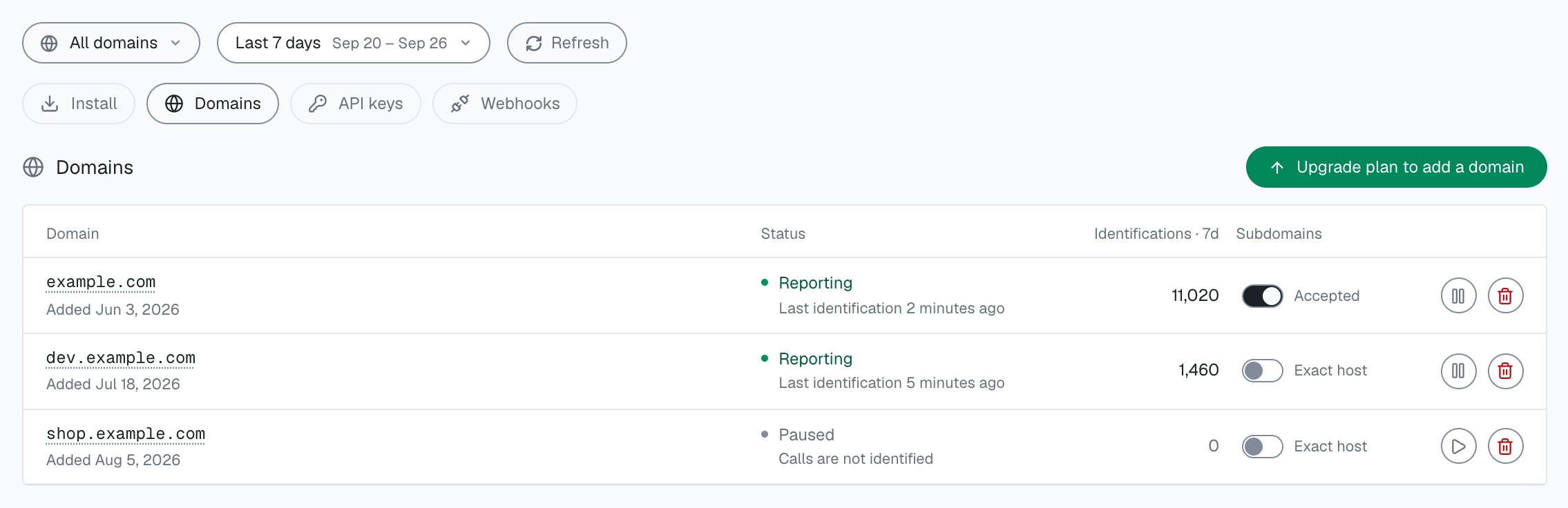
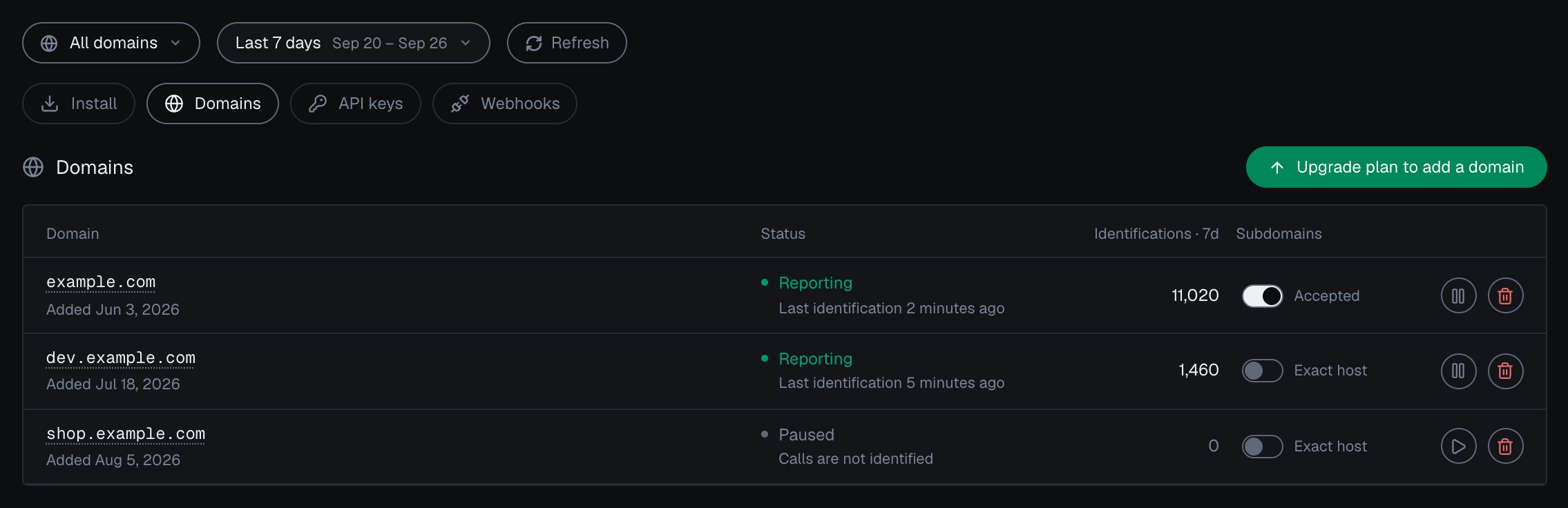
**Domains** lists every domain on your account with its **Status**, its identifications in the period and its **Subdomains** setting.

| Status        | What it means                                                                                                                                                     |
| ------------- | ----------------------------------------------------------------------------------------------------------------------------------------------------------------- |
| **Reporting** | Identifications are arriving from the domain.                                                                                                                     |
| **Pending**   | Added, and no identification has arrived yet. The domain verifies itself on its first call.                                                                       |
| **Paused**    | You paused it, so its calls are not identified until you resume it. Nothing is deleted.                                                                           |
| **Frozen**    | The domain is at its request-rate limit, so its calls get HTTP 429 and are not billed. It resumes on its own once traffic eases. See [Rate limits](/rate-limits). |

**Subdomains** reads **Accepted** when the domain also takes traffic from its subdomains, and **Exact host** when it takes only its own host. Each domain can be paused, resumed or deleted; deleting asks you to type the domain back and keeps its identification history. **Add domain** adds a host; at your plan's limit the button reads **Upgrade plan to add a domain**. Your plan sets how many domains you can add: Free 1, Starter 1, Growth 3, Scale 5. All your domains share one account quota. Full steps: [Domains](/setup/domains).
<Frame caption="Integration > Domains in the analytics dashboard: each domain's status and subdomain setting.">
  <img className="block dark:hidden" src="https://mintcdn.com/shieldlabs-725d18f1/JyleDzUFYU3SXP4Q/images/dashboard/integration-domains.png?fit=max&auto=format&n=JyleDzUFYU3SXP4Q&q=85&s=364f64c6ddc59dcfe0d688f23fd64146" alt="Integration > Domains in the analytics dashboard: example.com Reporting with 11,020 identifications in the last 7 days and subdomains Accepted, dev.example.com Reporting with 1,460 and Exact host, shop.example.com Paused with 0 and Exact host, and Upgrade plan to add a domain." data-og-width="2270" width="2270" data-og-height="736" height="736" data-path="images/dashboard/integration-domains.png" data-optimize="true" data-opv="3" srcset="https://mintcdn.com/shieldlabs-725d18f1/JyleDzUFYU3SXP4Q/images/dashboard/integration-domains.png?w=280&fit=max&auto=format&n=JyleDzUFYU3SXP4Q&q=85&s=9230188ade90ff7b34d9bdb6593a3c07 280w, https://mintcdn.com/shieldlabs-725d18f1/JyleDzUFYU3SXP4Q/images/dashboard/integration-domains.png?w=560&fit=max&auto=format&n=JyleDzUFYU3SXP4Q&q=85&s=901aaaa19de3e47a8ec4aa4b60625442 560w, https://mintcdn.com/shieldlabs-725d18f1/JyleDzUFYU3SXP4Q/images/dashboard/integration-domains.png?w=840&fit=max&auto=format&n=JyleDzUFYU3SXP4Q&q=85&s=735f3ed75c31d449fe1233c3e7ef18ca 840w, https://mintcdn.com/shieldlabs-725d18f1/JyleDzUFYU3SXP4Q/images/dashboard/integration-domains.png?w=1100&fit=max&auto=format&n=JyleDzUFYU3SXP4Q&q=85&s=fa1f9f09eaf415e62e45424466b0c069 1100w, https://mintcdn.com/shieldlabs-725d18f1/JyleDzUFYU3SXP4Q/images/dashboard/integration-domains.png?w=1650&fit=max&auto=format&n=JyleDzUFYU3SXP4Q&q=85&s=968e30cfd2c176ef386cd11b5600f819 1650w, https://mintcdn.com/shieldlabs-725d18f1/JyleDzUFYU3SXP4Q/images/dashboard/integration-domains.png?w=2500&fit=max&auto=format&n=JyleDzUFYU3SXP4Q&q=85&s=705f87135cdf59888d1318cf32383e58 2500w" />

  <img className="hidden dark:block" src="https://mintcdn.com/shieldlabs-725d18f1/JyleDzUFYU3SXP4Q/images/dashboard/integration-domains-dark.png?fit=max&auto=format&n=JyleDzUFYU3SXP4Q&q=85&s=30f8e9ae896a0e5642fa61f010a31bee" alt="Integration > Domains in the analytics dashboard in the dark theme: example.com Reporting with 11,020 identifications in the last 7 days and subdomains Accepted, dev.example.com Reporting with 1,460 and Exact host, shop.example.com Paused with 0 and Exact host, and Upgrade plan to add a domain." data-og-width="2270" width="2270" data-og-height="736" height="736" data-path="images/dashboard/integration-domains-dark.png" data-optimize="true" data-opv="3" srcset="https://mintcdn.com/shieldlabs-725d18f1/JyleDzUFYU3SXP4Q/images/dashboard/integration-domains-dark.png?w=280&fit=max&auto=format&n=JyleDzUFYU3SXP4Q&q=85&s=6aa7eb924aad9e16bfe086d5069024de 280w, https://mintcdn.com/shieldlabs-725d18f1/JyleDzUFYU3SXP4Q/images/dashboard/integration-domains-dark.png?w=560&fit=max&auto=format&n=JyleDzUFYU3SXP4Q&q=85&s=ee4a4695cf12d0e53de05afaab36fbfd 560w, https://mintcdn.com/shieldlabs-725d18f1/JyleDzUFYU3SXP4Q/images/dashboard/integration-domains-dark.png?w=840&fit=max&auto=format&n=JyleDzUFYU3SXP4Q&q=85&s=0b118b78e48b78546a5820128128dcd9 840w, https://mintcdn.com/shieldlabs-725d18f1/JyleDzUFYU3SXP4Q/images/dashboard/integration-domains-dark.png?w=1100&fit=max&auto=format&n=JyleDzUFYU3SXP4Q&q=85&s=a640bac860e80295e08d18d56ba4d17a 1100w, https://mintcdn.com/shieldlabs-725d18f1/JyleDzUFYU3SXP4Q/images/dashboard/integration-domains-dark.png?w=1650&fit=max&auto=format&n=JyleDzUFYU3SXP4Q&q=85&s=d14752ac212904313e5df051d9aa0eb8 1650w, https://mintcdn.com/shieldlabs-725d18f1/JyleDzUFYU3SXP4Q/images/dashboard/integration-domains-dark.png?w=2500&fit=max&auto=format&n=JyleDzUFYU3SXP4Q&q=85&s=dd1eb1afe477e2eff92a4f895f3ff9f3 2500w" />
</Frame>

## API keys

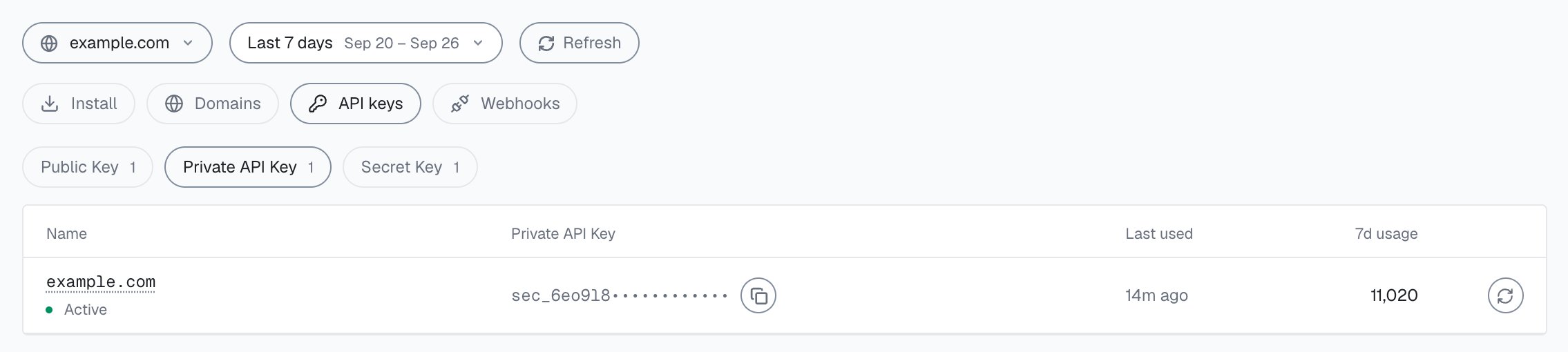
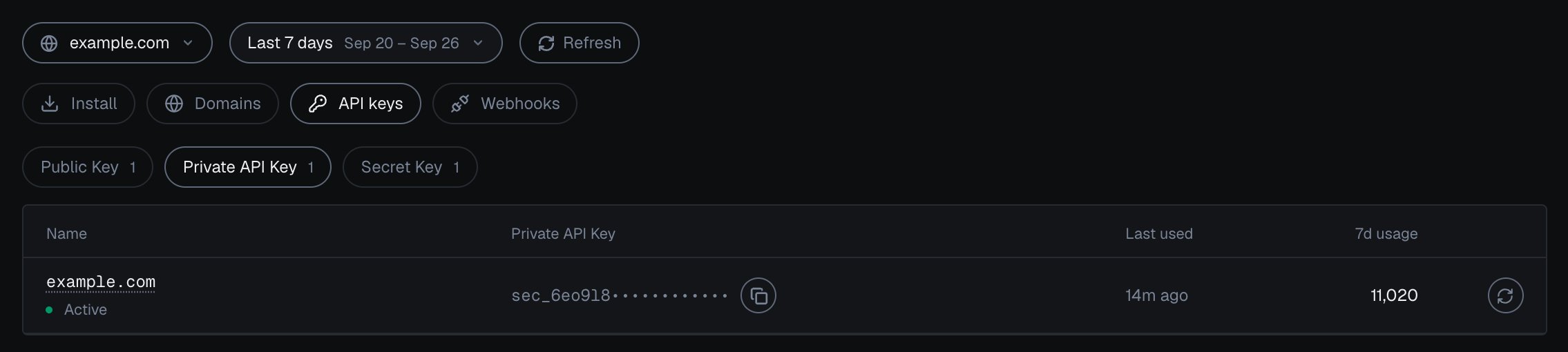
**API keys** shows one key type at a time: pick **Public Key**, **Private API Key** or **Secret Key**, and each domain in scope gets a row with its key, when it was last used and its usage in the period.

| Key                 | Where it goes                                                                         |
| ------------------- | ------------------------------------------------------------------------------------- |
| **Public Key**      | The snippet URL in the browser.                                                       |
| **Private API Key** | Your server, to read identifications from the History API on `account.shieldlabs.ai`. |
| **Secret Key**      | Your server, for the Management API on `api.shieldlabs.ai`.                           |

The Public Key shows in full and the other two are masked. The copy button copies the full key. **Rotate** replaces it, and the previous key stops working at once, so update your snippet or server client first. Full steps: [API keys](/setup/keys).
<Frame caption="Integration > API keys in the analytics dashboard: one domain's Private API Key, masked, with tabs for Public Key, Private API Key and Secret Key.">
  <img className="block dark:hidden" src="https://mintcdn.com/shieldlabs-725d18f1/JyleDzUFYU3SXP4Q/images/dashboard/integration-keys.png?fit=max&auto=format&n=JyleDzUFYU3SXP4Q&q=85&s=6e6aee6727e4401e869acc2b46b77cf1" alt="Integration > API keys for example.com in the analytics dashboard: tabs Public Key, Private API Key (selected) and Secret Key; the Private API Key masked after its first characters, sec_6eo9l8 followed by dots; Active, last used 14m ago, 7d usage 11,020, a copy button and the Rotate icon." data-og-width="2270" width="2270" data-og-height="510" height="510" data-path="images/dashboard/integration-keys.png" data-optimize="true" data-opv="3" srcset="https://mintcdn.com/shieldlabs-725d18f1/JyleDzUFYU3SXP4Q/images/dashboard/integration-keys.png?w=280&fit=max&auto=format&n=JyleDzUFYU3SXP4Q&q=85&s=f46efe049c56b091485c3002f2286ab7 280w, https://mintcdn.com/shieldlabs-725d18f1/JyleDzUFYU3SXP4Q/images/dashboard/integration-keys.png?w=560&fit=max&auto=format&n=JyleDzUFYU3SXP4Q&q=85&s=2553269a78bed9ddea6b7af4425fe2a0 560w, https://mintcdn.com/shieldlabs-725d18f1/JyleDzUFYU3SXP4Q/images/dashboard/integration-keys.png?w=840&fit=max&auto=format&n=JyleDzUFYU3SXP4Q&q=85&s=c4a73f982e465bdf3c07a1c89dadafd0 840w, https://mintcdn.com/shieldlabs-725d18f1/JyleDzUFYU3SXP4Q/images/dashboard/integration-keys.png?w=1100&fit=max&auto=format&n=JyleDzUFYU3SXP4Q&q=85&s=07ee78932be5d9ee820bcb2b124c4763 1100w, https://mintcdn.com/shieldlabs-725d18f1/JyleDzUFYU3SXP4Q/images/dashboard/integration-keys.png?w=1650&fit=max&auto=format&n=JyleDzUFYU3SXP4Q&q=85&s=d9686fc7e533e85bf95be31be326056a 1650w, https://mintcdn.com/shieldlabs-725d18f1/JyleDzUFYU3SXP4Q/images/dashboard/integration-keys.png?w=2500&fit=max&auto=format&n=JyleDzUFYU3SXP4Q&q=85&s=fd994ea808c37b7206e30a31e8efc51c 2500w" />

  <img className="hidden dark:block" src="https://mintcdn.com/shieldlabs-725d18f1/JyleDzUFYU3SXP4Q/images/dashboard/integration-keys-dark.png?fit=max&auto=format&n=JyleDzUFYU3SXP4Q&q=85&s=9ec59e34adea359b69d37b0e0fd0c65b" alt="Integration > API keys for example.com in the analytics dashboard in the dark theme: tabs Public Key, Private API Key (selected) and Secret Key; the Private API Key masked after its first characters, sec_6eo9l8 followed by dots; Active, last used 14m ago, 7d usage 11,020, a copy button and the Rotate icon." data-og-width="2270" width="2270" data-og-height="510" height="510" data-path="images/dashboard/integration-keys-dark.png" data-optimize="true" data-opv="3" srcset="https://mintcdn.com/shieldlabs-725d18f1/JyleDzUFYU3SXP4Q/images/dashboard/integration-keys-dark.png?w=280&fit=max&auto=format&n=JyleDzUFYU3SXP4Q&q=85&s=8701e61e0c76f999ba8d48c293450057 280w, https://mintcdn.com/shieldlabs-725d18f1/JyleDzUFYU3SXP4Q/images/dashboard/integration-keys-dark.png?w=560&fit=max&auto=format&n=JyleDzUFYU3SXP4Q&q=85&s=266678df15ba4019daadeb35bdf3c524 560w, https://mintcdn.com/shieldlabs-725d18f1/JyleDzUFYU3SXP4Q/images/dashboard/integration-keys-dark.png?w=840&fit=max&auto=format&n=JyleDzUFYU3SXP4Q&q=85&s=ef1df805efa01a26d26b0dd45795d8fb 840w, https://mintcdn.com/shieldlabs-725d18f1/JyleDzUFYU3SXP4Q/images/dashboard/integration-keys-dark.png?w=1100&fit=max&auto=format&n=JyleDzUFYU3SXP4Q&q=85&s=7020e5eec0287fe156c7b86ea5db2cba 1100w, https://mintcdn.com/shieldlabs-725d18f1/JyleDzUFYU3SXP4Q/images/dashboard/integration-keys-dark.png?w=1650&fit=max&auto=format&n=JyleDzUFYU3SXP4Q&q=85&s=3d758e7b6267caeba55c0e801feb2981 1650w, https://mintcdn.com/shieldlabs-725d18f1/JyleDzUFYU3SXP4Q/images/dashboard/integration-keys-dark.png?w=2500&fit=max&auto=format&n=JyleDzUFYU3SXP4Q&q=85&s=55c5af806f9252db7cff75ffeda72dd6 2500w" />
</Frame>

## Webhooks

**Webhooks** lists your endpoints with their signing secret, status and last delivery. **Add endpoint** registers an HTTPS URL for a domain. Each domain takes up to 10 endpoints, and each endpoint gets its own `whsec_` signing secret.

* **Verify** sends a `webhook.ping` delivery. A 2xx answer verifies the endpoint.
* **Test** sends a sample `identification.scored` delivery and shows the HTTP status and how long it took.
* **Edit**, **Rotate secret**, pause or resume deliveries, and **Delete** manage the endpoint.

An endpoint moves through the statuses Pending, Waiting for the first event, Delivering, Failing, Verification failed and Paused.

**Verify a signature** shows how to check the `X-Shield-Signature` header, `sha256=` followed by the HMAC-SHA256 of the raw request body, in Node.js, Python, Go, PHP, Ruby and C#. Full steps: [Webhooks](/setup/webhooks).
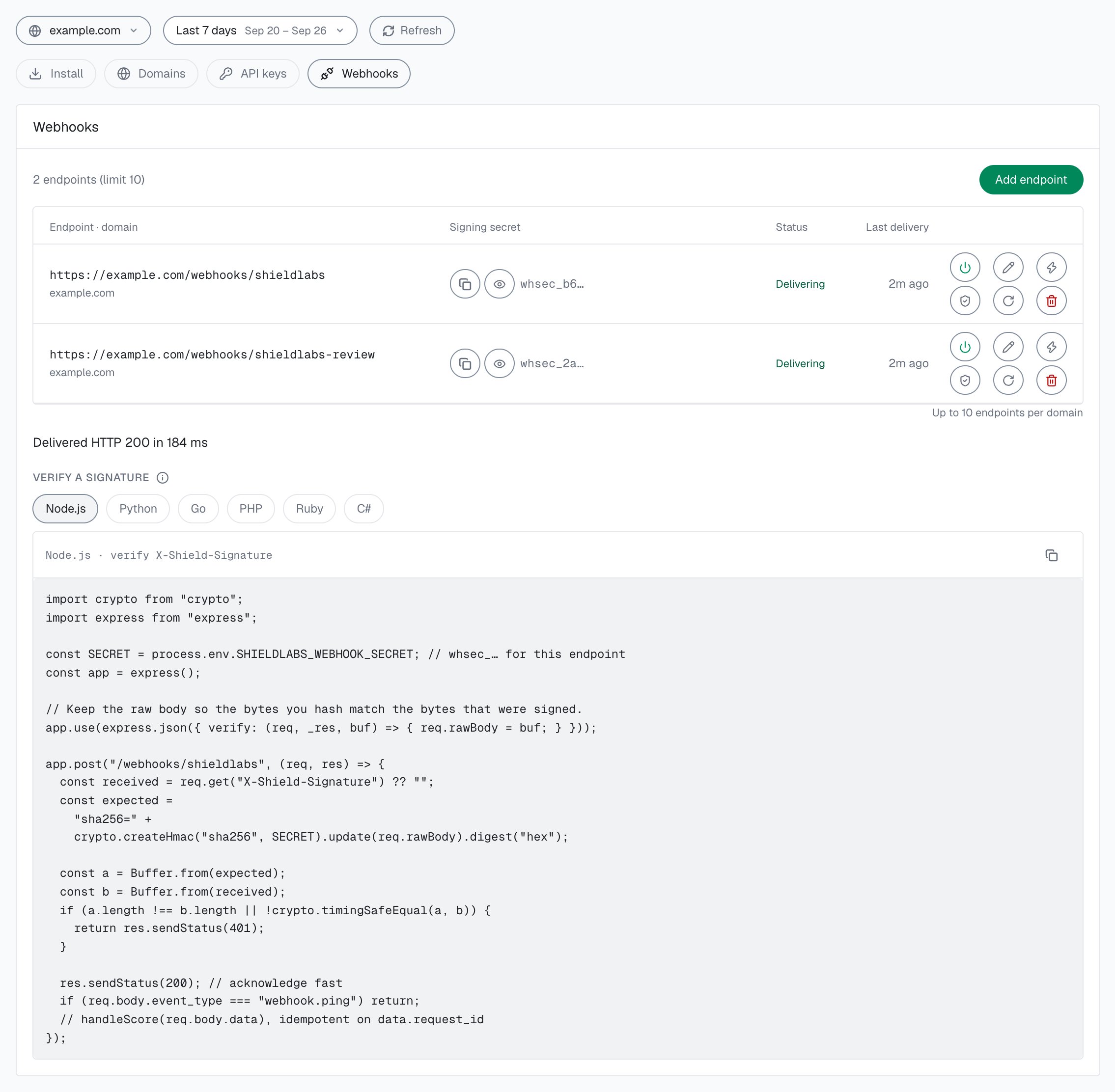
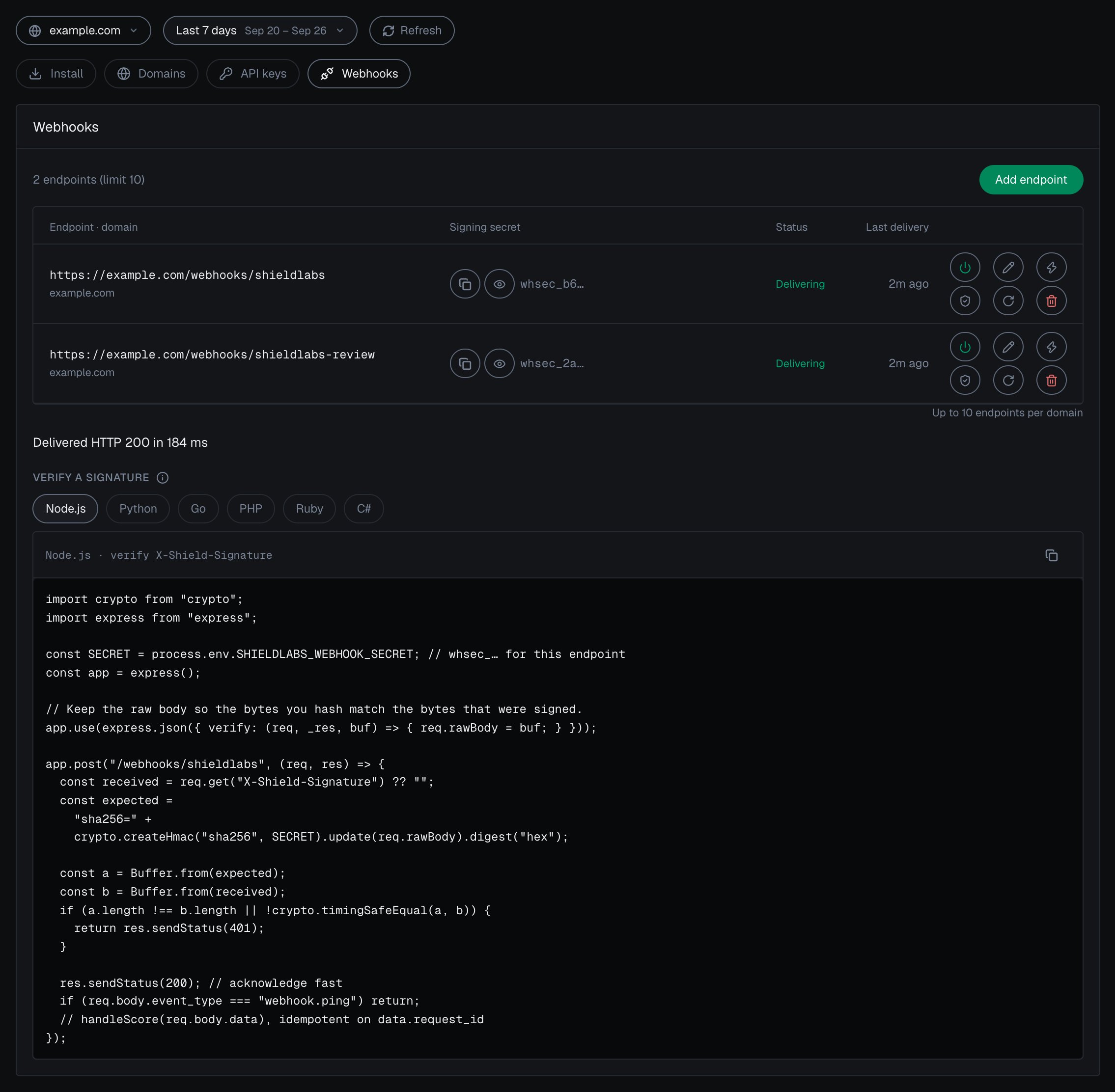
<Frame caption="Integration > Webhooks in the analytics dashboard: each endpoint has its own signing secret, Verify and Test.">
  <img className="block dark:hidden" src="https://mintcdn.com/shieldlabs-725d18f1/JyleDzUFYU3SXP4Q/images/dashboard/integration-webhooks.png?fit=max&auto=format&n=JyleDzUFYU3SXP4Q&q=85&s=08f2e19d5b5f630ee6e9f57665adab46" alt="Integration > Webhooks for example.com in the analytics dashboard: 2 endpoints (limit 10), each Delivering with a masked whsec_ signing secret and its last delivery 2m ago; row action icons Pause, Edit, Test, Verify, Rotate secret and Delete; the Test result Delivered HTTP 200 in 184 ms; and the Verify a signature sample for Node.js." data-og-width="2270" width="2270" data-og-height="2224" height="2224" data-path="images/dashboard/integration-webhooks.png" data-optimize="true" data-opv="3" srcset="https://mintcdn.com/shieldlabs-725d18f1/JyleDzUFYU3SXP4Q/images/dashboard/integration-webhooks.png?w=280&fit=max&auto=format&n=JyleDzUFYU3SXP4Q&q=85&s=3e7be1f69a30fed36f0c820b10cea09c 280w, https://mintcdn.com/shieldlabs-725d18f1/JyleDzUFYU3SXP4Q/images/dashboard/integration-webhooks.png?w=560&fit=max&auto=format&n=JyleDzUFYU3SXP4Q&q=85&s=e6c4e8bd6c4cc1fa9088922f1ea89ce4 560w, https://mintcdn.com/shieldlabs-725d18f1/JyleDzUFYU3SXP4Q/images/dashboard/integration-webhooks.png?w=840&fit=max&auto=format&n=JyleDzUFYU3SXP4Q&q=85&s=6d612b21da68a4a799945c7fe775519a 840w, https://mintcdn.com/shieldlabs-725d18f1/JyleDzUFYU3SXP4Q/images/dashboard/integration-webhooks.png?w=1100&fit=max&auto=format&n=JyleDzUFYU3SXP4Q&q=85&s=c226268f4601c485a03c40b3ead0067a 1100w, https://mintcdn.com/shieldlabs-725d18f1/JyleDzUFYU3SXP4Q/images/dashboard/integration-webhooks.png?w=1650&fit=max&auto=format&n=JyleDzUFYU3SXP4Q&q=85&s=5add9ec06cceb637685c47e8a356869a 1650w, https://mintcdn.com/shieldlabs-725d18f1/JyleDzUFYU3SXP4Q/images/dashboard/integration-webhooks.png?w=2500&fit=max&auto=format&n=JyleDzUFYU3SXP4Q&q=85&s=9f0966cd14ae16075f288e8759c78f80 2500w" />

  <img className="hidden dark:block" src="https://mintcdn.com/shieldlabs-725d18f1/JyleDzUFYU3SXP4Q/images/dashboard/integration-webhooks-dark.png?fit=max&auto=format&n=JyleDzUFYU3SXP4Q&q=85&s=bf1899621c76b377d674e908a72cb688" alt="Integration > Webhooks for example.com in the analytics dashboard in the dark theme: 2 endpoints (limit 10), each Delivering with a masked whsec_ signing secret and its last delivery 2m ago; row action icons Pause, Edit, Test, Verify, Rotate secret and Delete; the Test result Delivered HTTP 200 in 184 ms; and the Verify a signature sample for Node.js." data-og-width="2270" width="2270" data-og-height="2224" height="2224" data-path="images/dashboard/integration-webhooks-dark.png" data-optimize="true" data-opv="3" srcset="https://mintcdn.com/shieldlabs-725d18f1/JyleDzUFYU3SXP4Q/images/dashboard/integration-webhooks-dark.png?w=280&fit=max&auto=format&n=JyleDzUFYU3SXP4Q&q=85&s=5eb12ec85dc02daa4956e46ae56cb18a 280w, https://mintcdn.com/shieldlabs-725d18f1/JyleDzUFYU3SXP4Q/images/dashboard/integration-webhooks-dark.png?w=560&fit=max&auto=format&n=JyleDzUFYU3SXP4Q&q=85&s=2eb2c93cdb0ef45c58723c6b1fbd0177 560w, https://mintcdn.com/shieldlabs-725d18f1/JyleDzUFYU3SXP4Q/images/dashboard/integration-webhooks-dark.png?w=840&fit=max&auto=format&n=JyleDzUFYU3SXP4Q&q=85&s=66591544a4bee4e5d1721e494546877d 840w, https://mintcdn.com/shieldlabs-725d18f1/JyleDzUFYU3SXP4Q/images/dashboard/integration-webhooks-dark.png?w=1100&fit=max&auto=format&n=JyleDzUFYU3SXP4Q&q=85&s=494d3573096df77554f7ed54126d55a7 1100w, https://mintcdn.com/shieldlabs-725d18f1/JyleDzUFYU3SXP4Q/images/dashboard/integration-webhooks-dark.png?w=1650&fit=max&auto=format&n=JyleDzUFYU3SXP4Q&q=85&s=6fbb8001bc4a5d29368a664d88a9713f 1650w, https://mintcdn.com/shieldlabs-725d18f1/JyleDzUFYU3SXP4Q/images/dashboard/integration-webhooks-dark.png?w=2500&fit=max&auto=format&n=JyleDzUFYU3SXP4Q&q=85&s=46dd0811ae2b9ce48f61a1d04b6afe79 2500w" />
</Frame>

## Next steps

<CardGroup cols={3}>
  <Card title="Install the snippet" icon="code" href="/setup/snippet">
    Both snippets, the four methods and framework examples.
  </Card>

  <Card title="Identify signed-in users" icon="user-check" href="/setup/snippet#identify-signed-in-users">
    The User HID that users and High-Risk Events are built on.
  </Card>

  <Card title="Domains" icon="globe" href="/setup/domains">
    Add, pause and scope your domains.
  </Card>

  <Card title="API keys" icon="key" href="/setup/keys">
    What each key authenticates and where it belongs.
  </Card>

  <Card title="Webhooks" icon="signature" href="/setup/webhooks">
    Register an endpoint and verify every delivery.
  </Card>

  <Card title="Read one account in code" icon="server" href="/api/server-api#read-every-identification-of-one-account">
    Every identification of one account through the History API.
  </Card>
</CardGroup>
