> ## Documentation Index
> Fetch the complete documentation index at: https://docs.shieldlabs.ai/llms.txt
> Use this file to discover all available pages before exploring further.
# Users, devices, visitors and IPs
> How ShieldLabs links every identification to a user, a device, a visitor and IP addresses, each with its own risk.
ShieldLabs works with five identities: users (your accounts, keyed by the hashed User HID you pass), devices, visitors, public IPs and local IPs. Each identity has its own risk and its own links to the others, and the four [High-Risk Events](/features/high-risk-events) are detected on your users.
Underneath sits the event layer. Each identification, one check by the JavaScript [snippet](/setup/snippet), returns a [Risk Score](/features/risk-scoring) with every risk signal named and weighted, and ties itself to the user, device, visitor and IP addresses behind it. The [Accounts and identifications](/concepts/accounts-and-identifications) page explains how the two layers work together in a decision.
## The five identities
| Identity | Webhook key | What it is | Read its identifications |
| ------------------------ | ----------------------------- | ----------------------------------------------------------------------------------------------------------------------------------------------------------- | -------------------------------------------------------------------- |
| **User** (User HID) | `user_hid` | Your account: the hashed or pseudonymous id you pass with `checkAuthenticatedUser`. Anonymous checks send `"anonymous"`. | `/api/v1/history/user_hid/{value}` |
| **Device** (Device ID) | `device_id` | The durable device, computed from the device itself. It holds through cleared cookies, incognito mode and IP changes; another browser is another Device ID. | `/api/v1/history/device_id/{value}` |
| **Visitor** (Visitor ID) | `visitor_id` | One device plus one cookie, so a device gets a new Visitor ID each time its cookies are cleared. | `/api/v1/history/visitor_id/{value}` |
| **Public IP** | `public_ip` (`ip`, `country`) | The public address of the identification and its country. | `/api/v1/history/ip/{value}` |
| **Local IP** | `local_ip` (`ip`, `country`) | The address the browser itself reports, which can differ from the public IP behind a VPN or proxy. | History has no Local IP search; keep `local_ip.ip` from each webhook |
The request ID, Session ID and Cookie ID describe one identification, one browsing session and the browser's storage. They group and join identifications; the [Identifiers](/features/identification) page covers how each one is built and how long it lasts.
## How identities link
Each identification carries exactly one visitor, one device and one public IP, and at most one user and one local IP. An anonymous identification has no user.
```mermaid theme={null}
flowchart LR
I(["Identification
Risk Score and risk signals"])
U["User
User HID"]
D["Device
Device ID"]
V["Visitor
Visitor ID"]
P["Public IP"]
L["Local IP"]
I -- "at most one" --> U
I -- "exactly one" --> D
I -- "exactly one" --> V
I -- "exactly one" --> P
I -- "at most one" --> L
```
Identities that share an identification are linked, and the links build up over time:
* **A user** links to the devices, visitors, public IPs and local IPs its identifications came from, and to the countries behind them.
* **A device** links to the accounts signed in on it, the visitors its cookies created and the IP addresses it used.
* **A visitor** links to its device and to the accounts and IP addresses seen with it.
* **A public IP** links to the accounts, devices and visitors seen behind it, and to the local IPs they reported.
An identity never counts itself among its links. Because another browser is another Device ID, the User HID is what ties the browsers and devices of one person together once they sign in.
## The risk of a user, device, visitor or IP
Only an identification has a number: its Risk Score, from 0 to 100. A user, device, visitor or IP address carries a band word instead, the worst band among its identifications in the period you look at: Trusted (0 to 29), Suspicious (30 to 59) or Dangerous (60 to 100).
A user with twenty Trusted identifications and one Dangerous identification is Dangerous, so one masked or automated signup is enough to mark the account.
The webhook and the History API carry the Risk Score of each identification, and your backend maps it to a band. For an identity's band, read its identifications and take the highest Risk Score, skipping any value above 100 (the `999` rate-limit marker). [Risk Scoring](/features/risk-scoring#risk-of-a-user-device-visitor-or-ip) covers the bands in full.
## High-Risk Events belong to users
ShieldLabs detects four High-Risk Events directly on your users, out of the box, without building rules or training a fraud model:
* **Multi-accounting**: several accounts run by one person, linked through the devices and network they share. By default it fires from 3 accounts on one visitor, and the threshold is configurable.
* **Account sharing**: one account used from several distinct devices. By default it fires from 4 devices on one account, and the threshold is configurable.
* **Impossible travel**: an account appearing in locations it could not reach in the time between them.
* **Account takeover**: an existing account appearing in a new environment that points to someone else using it.
Each event carries Medium or High confidence, a separate axis from the Risk Score and the band: a user can be Trusted on every identification and still be multi-accounting. Events are keyed on the account, so they are built on the User HID you pass.
High-Risk Events are available in the analytics dashboard, the API and webhooks. When one arrives for a user, act on the account; the Risk Score and risk signals of the identification remain the input at signup, login, checkout and withdrawal. The [High-Risk Events](/features/high-risk-events) page covers each event.
## The User HID is your account key
Pass a hashed User HID with `checkAuthenticatedUser` on every signed-in page. Users, account-level risk and all four High-Risk Events are built on it.
Use a hashed or pseudonymous value, never a raw email or login, and apply the same transform every time so one account always maps to one User HID:
```js theme={null}
const userHID = await sha256(currentUser.id); // never the raw id or email
const mod = await import('https://cdn.shieldlabs.ai/snippet.js?publicKey=YOUR_PUBLIC_KEY');
mod.checkAuthenticatedUser(userHID);
```
Pages without a signed-in user call `checkAnonymous()`. The webhook then carries `"user_hid": "anonymous"`, and the identification still links to its device, visitor and IP addresses. The [snippet setup](/setup/snippet#identify-signed-in-users) covers both calls.
## Read an identity in code
The [History API](/api/server-api) returns every identification of one identity when you search by its key: `user_hid`, `device_id`, `visitor_id` or `ip`. To read what one account did:
```bash theme={null}
curl "https://account.shieldlabs.ai/api/v1/history/user_hid/a91f3c7e5b2d4086?limit=100" \
-H "Authorization: Bearer sec_your_private_api_key"
```
The response is `{ "data": [...], "total": N }`, one row per identification. Page with `offset` when an account has more than 100 identifications. From the rows, skip any `score` above 100 (the `999` rate-limit marker), take the highest remaining `score` for the account's band, and collect the distinct `device_id` (ignoring the all-zero Device ID), `visitor_id` and `ip` values for its linked devices, visitors and public IPs. Each Private API Key reads one domain, so read each domain with its own key. Reads are free.
[Read every identification of one account](/api/server-api#read-every-identification-of-one-account) has the full recipe.
## In the analytics dashboard
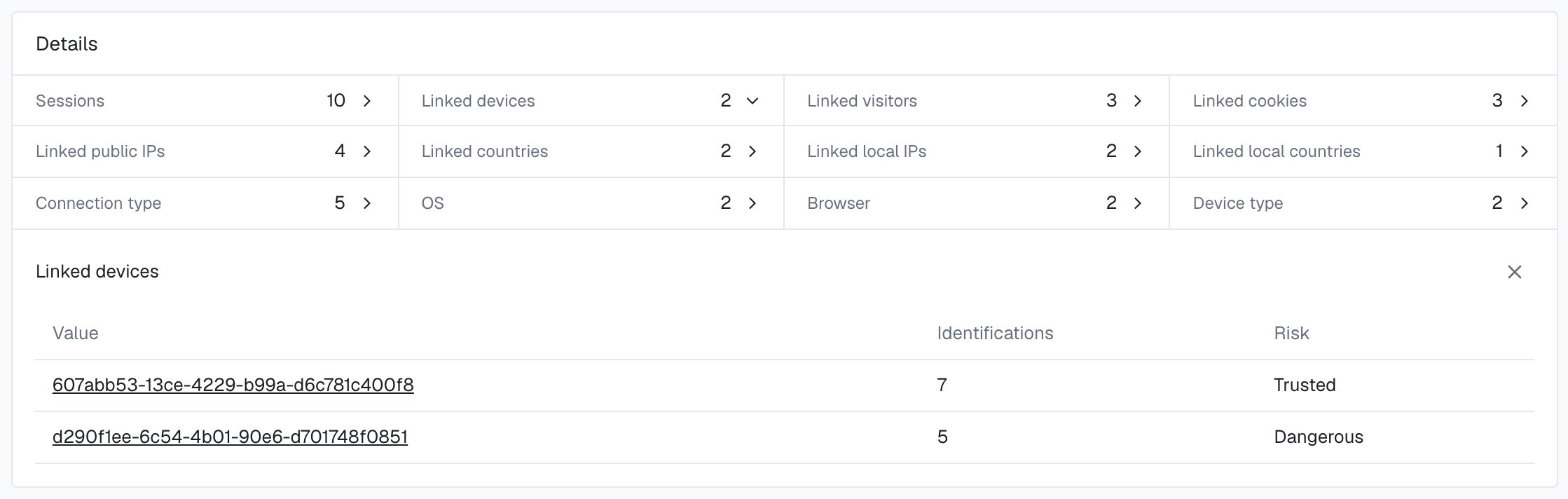
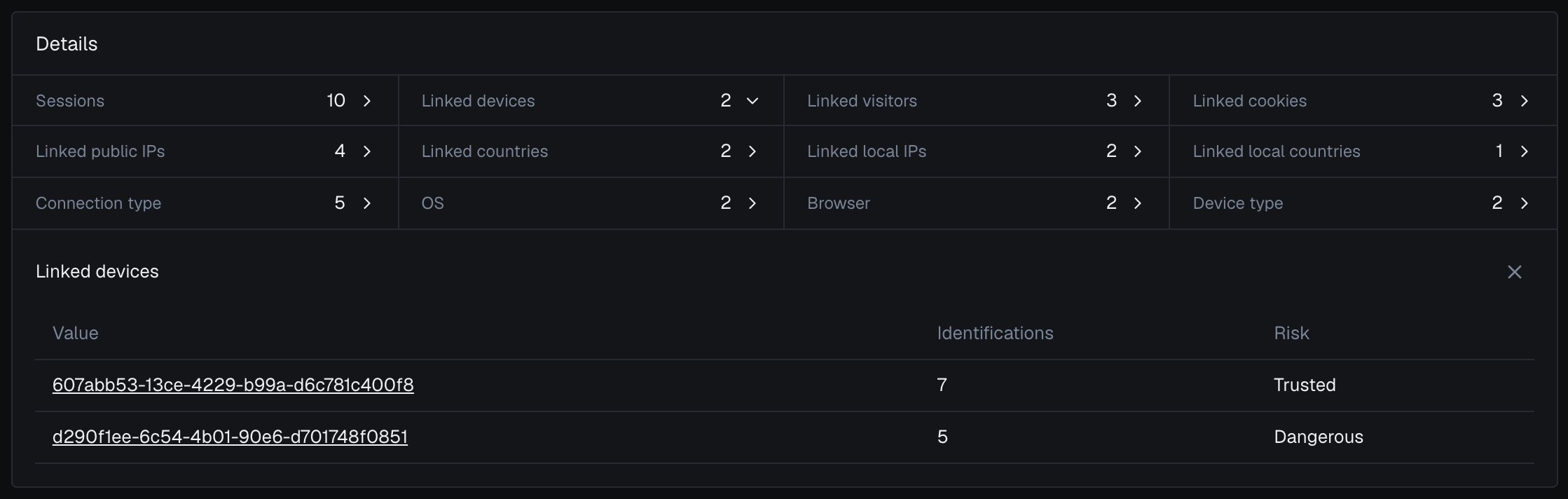
Users, devices, visitors and public IPs each have a card in the analytics dashboard with a risk band and linked identities; local IPs appear on those cards as linked local IPs, with the identifications behind each. The band on a card is the worst band of the identity's identifications in the selected period, and a user's card also shows its High-Risk Events with their confidence.
Find your identities on the **Users**, **Devices**, **Unique visitors** and **Public IPs** tabs of [Analytics](/dashboard/analytics), and open any identifier to reach its card. [User, device, visitor and IP cards](/dashboard/entity-card) covers each part of a card.
 ## Next steps
How the account behind many identifications and the identification in front of you work together.
How each identifier is built, how long it lasts and what the webhook carries.
Multi-accounting, account sharing, impossible travel and account takeover, detected on your users.
The 0 to 100 Risk Score of each identification and the band of every user, device, visitor and IP.
## Next steps
How the account behind many identifications and the identification in front of you work together.
How each identifier is built, how long it lasts and what the webhook carries.
Multi-accounting, account sharing, impossible travel and account takeover, detected on your users.
The 0 to 100 Risk Score of each identification and the band of every user, device, visitor and IP.